OZ Verified Business
Australia's No.1 Computer Support Company
Carbon Neutral Business
Need Technical Support? 1300 723 628 Call Service is open 24 Hours / 7 Days a Week

Our Blog

Here at the Original PC Doctor, we complied a list of extensive interesting articles related to IT industry and technology for you to read and enjoy.

Subscribe to our newsletter to stay updated on the latest weekly updates.

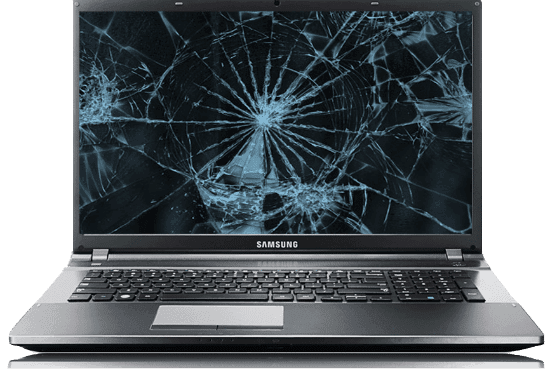
How To Deal With a Broken Screen On Your Laptop

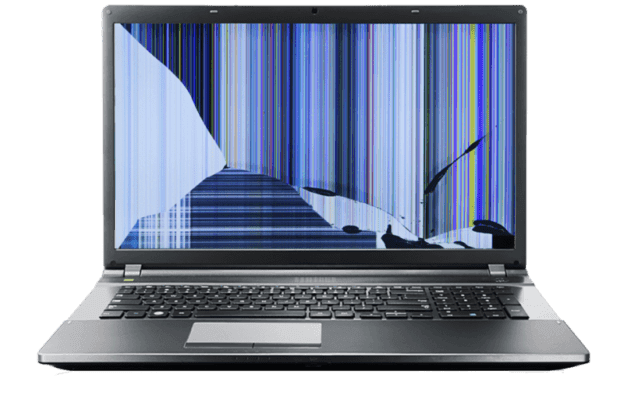
Cracked Laptop Screen 1

How To Deal With a Broken Screen On Your Laptop

I’ve been travelling quite frequently over the past few years to beautiful places such as Europe and North America. I had a mobile office that I could set up wherever I went, and that made my life infinitely easier for me. What’s more, for some time, I found particular comfort in my work, and my desktop felt like home. That is until my laptop’s screen smashed into pieces.

Continue reading

Common Symptoms of Coronavirus COVID-19

COVID 19

Common Symptoms of Coronavirus COVID-19

It was December 1, 2019, when the first case of the new COVID-19 had been reported right in the middle of Wuhan, China. Since then, an enormous number of new cases all around the world have been reported as well, many of which have unfortunately ended in death. In today’s article, we will share everything that you need to know about the new COVID-19 and, most importantly, how you and your close ones can protect yourselves against this dangerous virus.

Continue reading

Preventing Coronavirus COVID-19 Transmission By Use of Digital Tech to Its Full Potential

COVID 19

Preventing Coronavirus COVID-19 Transmission By Use of Digital Tech to Its Full Potential

According to recent reports, there are 159,620 individuals infected with COVID-19, and the numbers only keep increasing. Even though roughly 80% of those infected, on a global scale, experience a mild condition, it’s still a major cause for worry. In case of an epidemic, like this one, it’s our responsibility to stop it from spreading any further. The good thing is, in this day and age, we have the technology and the power to connect with people all across the world. All the things we need to do are at our fingertips, allowing us to take the load off and reduce the burden.

Continue reading

Top 10 Mistakes to Watch Out For Why Most Small Businesses Fail

top reasons business fail cover image

Top 10 Mistakes to Watch Out For Why Most Small Businesses Fail

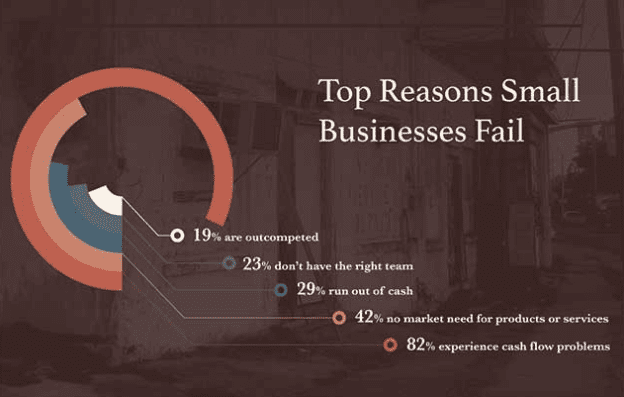
It is indeed the dream of most people to have an enterprise that generates income beyond the active working years. The truth is small businesses account for many incoming generating enterprises across the world. According to statistics, small enterprises account for over 99.7 percent of the entire private firms. This may be the reason why most people are finding it easy to enter into the small enterprise market.

Continue reading

Cracked Screens: Accidents Happen, But You Can Prevent Them Sometimes

Service 01 cracked screen 800x525 1

Cracked Screens: Accidents Happen, But You Can Prevent Them Sometimes

We are increasingly starting to rely on technology to help us get our work done. Technology is becoming an essential part of not only our careers but also our personal lives. With this in mind, opening up your laptop to a cracked screen can feel like a disaster. The same goes for unlocking your smartphone, only to find that its screen has been cracked.

Continue reading

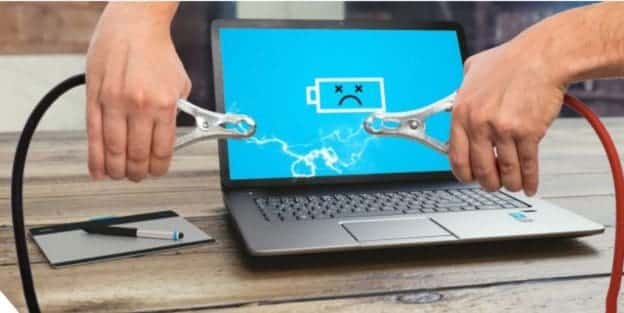
When is the Right Time to Replace Your Laptop Battery?

jump start your dead battery

When is the Right Time to Replace Your Laptop Battery?

Laptop batteries certainly aren’t made to last forever. In fact, did you know that most laptops are only good for around 400 charging cycles before they bite the dust? Not a lot of people know this and will constantly charge their computers, thinking that it is helping the device. A good way to help a dying laptop battery is to keep It from constantly being plugged into the wall. Always charging a battery through the wall outlet for a long charge diminishes battery life incredibly. It puts wear on the unit and can lead to multiple issues down the road. Do yourself a favour and keep it unplugged every now and then to limit the usage.

Continue reading

Telecommuting: The Ultimate Guide in the Age of the COVID19 Coronavirus

HSBC’s headquarters in London, where an employee tested positive for the coronavirus COVID19

Telecommuting: The Ultimate Guide in the Age of the COVID19 Coronavirus

As more and more organizations are opting for telecommuting in response to the recent COVID19 coronavirus outbreak, others are unsure about telecommuting and whether it can work for their businesses- they face a tone of unanswered questions – which we hope to answer in the article below.

Continue reading

How Do You Know If Your Hard Drive Is Failing You?

How Do You Know If Your Hard Drive Is Failing You?

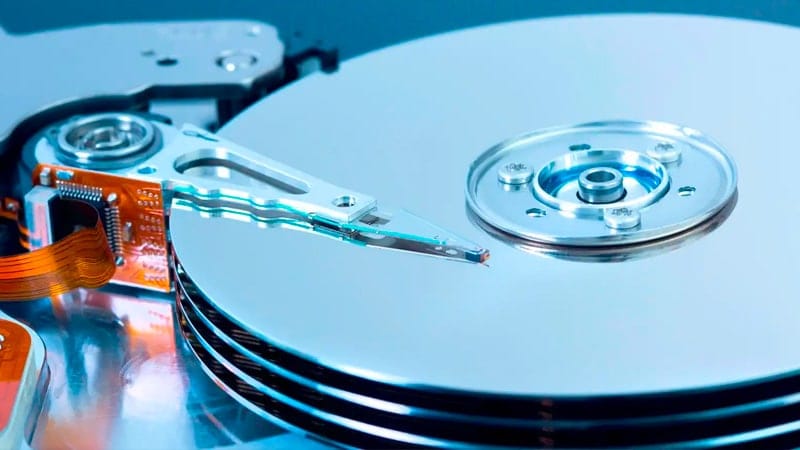
A hard drive is one of the most critical parts of a computer. While it does not serve as a way of powering the computer and allowing programs to run, which is the case with a CPU and the RAM, the hard drive stores all data that needs to be read by these computer components. Additionally, all of your most valuable files are also stored on your computer’s hard drive.


How Do You Know If Your Hard Drive Is Failing You

How Do You Know If Your Hard Drive Is Failing You

Unfortunately, even though the most valuable component in your computer, a hard drive is often considered to be one of the most vulnerable too. These devices can fail at any time. The major problem is the fact that it is generally considered difficult to predict when a hard drive may fail.

We look at some signs that may signal a failing hard drive in this post. We will also consider signs that may signal your hard drive has already failed. By knowing about these signs, you will be better equipped to understand what is happening when you are presented with certain error messages on your computer.


What Are The Signs Of A Failing Hard Drive?

Recognizing signs of a failing hard drive before the component breaks down is really a critical part of helping you avoid losing important files. Thus, the first step to better understanding a failing hard drive is to ensure you know what signs may signal this problem in the first place.

There are a few problems that can occur while your drive is failing. When you take action while these signs are present, you can ensure you have a backup of all your important files before the hard drive finally fails completely.

Common problems that you may run into that can signal a failing hard drive include:

  • You may hear a strange noise coming from your hard drive. If your hard drive is installed in a computer box, you may notice these sounds from the box. Try to open the box to see if the sounds are indeed coming from the hard drive. The hard drive can sometimes make a clicking sound. Some people would also describe strange noises as a humming sound.
  • You may run into repeated errors while trying to access certain files. The same can happen with programs. If multiple applications are giving you errors when you try to launch or use them, then it may be a sign of a failing hard drive.
  • You could also run into repeated errors while you are using a specific application on your computer. You might still be able to open up software on your computer, but you could run into errors while the software is running.

Sometimes, a computer may simply act strangely. This may include suddenly booting slower than usual. The read/write speed of the hard drive could decline. This could make it much harder to actually get a file to open. You might have to wait several minutes for a simple document to open, for example.

There are also times where files could perhaps disappear. This could be a sign that the drive is failing, but may also be a symptom of existing damage that has been dealt with the hard drive already. When certain parts of the disc in your hard drive are damaged, then the files stored at those locations may start to vanish from your computer.

What Happens When Your Hard Drive Already Failed?

Not everyone will notice that their hard drive is failing before something major happens. Perhaps your computer is running more slowly than usual, but you consider this to be a sign of a different problem. You upgrade your RAM, only to find that this is not the case. By the time you have considered all of your options, your drive has already been damaged and may fail on you.

When your hard drive fails, you need to take quick action if there are important files on the drive that you may need to recover for future use. In some cases, it is possible to restore data from a failed hard drive. There are, however, scenarios where it is not possible – even when you get a data recovery expert to help out with the situation.

Some common signs that your hard drive has already failed may include:

  • One of the most popular ways to detect a failed hard drive would be the dreaded Blue Screen of Death. This problem is also referred to as the BSOD. Sure, the BSOD does not always mean that you have a broken hard drive, but it is often the problem when you are faced with this screen. Be sure to take a closer look at the error that is noted on the screen when faced with such a situation. The error code can be Googled for more details on what happened to your computer.
  • Your computer may start to turn on, but once it goes past the initial boot screen, you are presented with an error message before your operating system even started to load. A common error may be “File not found.”
  • When you switch on your computer, these problems may be accompanied by a loud noise that comes directly from your hard drive. The noise may sound like a clicking. Sometimes a scratching sound can also come from a hard drive that has failed. This is usually the case when the failure of the hard drive is related to the physical moving parts within the component.

There are also cases where a computer will simply fail to start when the hard drive is damaged.


Can You Recover Your Data?

Whether or not data recovery would be possible on a failed hard drive depends on what caused the problem. There are cases where you can make data recovery and find the important files that might have been stored on the drive. At the same time, there are also many cases where people are faced with a hard drive that is completely unusable. In such a case, data recovery will likely not be possible.

When you are faced with a failed hard drive, you could try to use a data recovery program. If physical parts of the hard drive have been damaged, however, you may need to contact a data recovery expert. These individuals are able to fix certain problems with the failed hard drive – allowing them to temporarily gain access to the files stored on the drive.

It would be best to take your hard drive to such an expert in case it failed. Trying to fix the drive yourself could lead to worse problems, potentially resulting in a hard drive where data recovery is not possible at all.


How To Prevent Data Loss From A Failed Hard Drive?

There are ways that you can reduce your risk of losing important files when your hard drive does fail. As we have mentioned previously, it is not possible to tell when a hard drive may fail. These devices are generally manufactured to last for a period between three and five years. Some hard drives fail much sooner than their three-year mark. On the other hand, there are also many people who use a single hard drive for a decade and can still access files on the drive without a problem.

Setting up a backup system is the most crucial part in avoiding data loss when your hard drive fails on you. There are several ways that you can do backups.

When it comes to deciding on a backup system to use, you should consider what your preferences may be. Also, take a look at the size of the files that you cannot lose access to.

What about if you have a large amount of Data?

If you have large files on your hard drive, then consider getting an external hard drive. Use the external hard drive to make frequent backups of the most important files on your internal drive. You can make a point of updating the backup on the external hard drive once a week, for example.

You can also choose to use a cloud-based backup solution. This would be more ideal for smaller files on your computer. There are a few options that you can choose – many of these options come with some initial online space for free. Google Drive, Apple Drive, and Microsoft OneDrive are some of the more popular options.

When you decide to use a cloud backup service, make sure you configure the sync settings for these accounts. Once configured, store all of your most important files directly in the folder that is automatically synced with the cloud service.


Conclusion

A hard drive stores all your most valued files and even sometimes confidential information. When your hard drive fails, you are at risk of losing the files that were stored on the component. We looked at signs to look out for, which may signal a failing hard drive. We also considered a few problems that you may run into when your hard drive has already failed you. Consider these signs and take appropriate action to help reduce the risk of losing important data and files.

References


Written by The Original PC Doctor on 04/08/2019.

20 Years in Computing – Major Computer Related Events Of The Year 2000

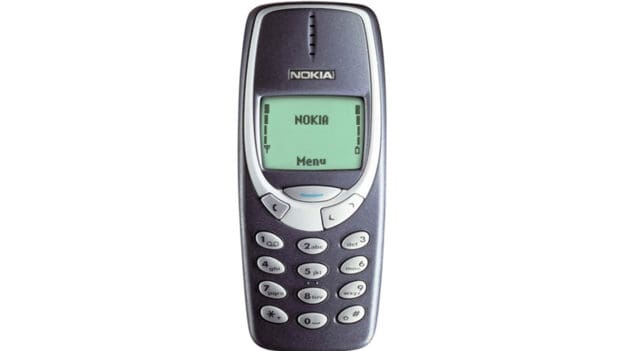
Nokia 3310

20 Years in Computing – Major Computer Related Events Of The Year 2000

The year 2000 held quite a large number of events for many industries over the world. Since then, there has been a significant advancement in technology, as well as other markets. Still, many of the events that were observed this year laid a foundation for the newer advancements that we see today. We take a look back as some of the biggest computer-related events that occurred in the year 2000.

Continue reading

Top 3 Warning Signs You Need a New Keyboard

broken keyboard

Top 3 Warning Signs You Need a New Keyboard

It’s impossible to do anything with a dead keyboard. You can’t enjoy your favourite games, research anything online, nor can you get any work done.

Some of these devices last more than ten years, but others will break just under three years of constant use. Of course, it’s impossible to predict when your keyboard will malfunction. But, you can replace it before it is completely dead.

Continue reading


Want a Quick Quote?

Computer issues? Enter your details and our friendly Australian team will give you a call with a free, no-obligation quote—usually within 30 minutes or less.

    We will never share your information with anyone. Privacy Policy.

    Customer Reviews
    The Original PC Doctor
    Average Rating: 4.5 out of 5
    *Based on 13941394 customer reviews collected via multiple sources (Word of Mouth, Product Reviews, Google Reviews and our feedback system.
    The Original PC Doctor - 25 years of business excellence