



Laptop Data Recovery – Professional Hard Drive & SSD Recovery Service | Recover Files from Dead or Broken Laptops
Need Laptop Data Recovery? Expert Service for Dead, Broken & Water Damaged Laptops – Call 1300 723 628 for Same-Day Recovery!
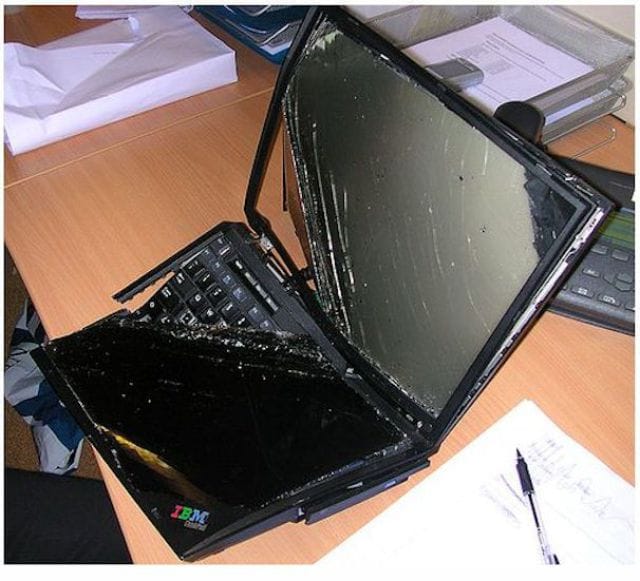
one smashed IBM laptop data recovery
Lost Critical Files from Your Laptop? The Original PC Doctor provides expert laptop data recovery services across Australia. From dead laptop hard drives to water damaged laptops, we recover your precious photos, documents, and files. With over 95% success rate and no data, no fee guarantee, we’re Australia’s most trusted laptop data recovery specialists. Call 1300 723 628 for emergency laptop data recovery now!
Laptop data loss is devastating—whether it’s years of family photos, critical business documents, or irreplaceable memories. Laptops are particularly vulnerable to data loss due to their portable nature, exposure to physical damage, and compact hardware design. From dropped laptops with damaged hard drives to water spilled on keyboards, laptop won’t boot scenarios, and accidentally deleted files, our laptop data recovery specialists have seen and successfully recovered from thousands of data loss situations.
We recover data from all laptop data loss scenarios including dead laptop hard drives, corrupted SSD drives, physically damaged laptops, water damaged laptops, laptop won’t turn on, formatted laptop drives, ransomware encrypted files, failed laptop upgrades, and broken laptop screens preventing access. From Windows laptops and MacBooks to Chromebooks and Linux laptops, we recover data from all laptop brands and operating systems across Australia.
Why Choose The Original PC Doctor for Laptop Data Recovery?
- 95%+ success rate — Industry-leading laptop data recovery success across thousands of cases
- No data, no fee guarantee — You only pay if we successfully recover your laptop data
- Same-day emergency service — Urgent laptop data recovery available for critical business and personal data loss
- Free diagnosis and quote — We assess your laptop data loss situation and provide honest recovery probability
- All laptop brands supported — Dell, HP, Lenovo, ASUS, Acer, MacBook, Surface, and all laptop manufacturers
- Clean room facilities — Professional data recovery lab for physical hard drive and SSD recovery
- Confidential and secure — Your data is treated with complete privacy and security throughout the recovery process
- All failure types — Logical, physical, mechanical, electronic, and firmware laptop data recovery
- Nationwide service — Laptop data recovery across all Australian cities with secure courier pickup
Laptop Data Recovery Services We Provide
Our expert laptop data recovery technicians can recover data from any laptop failure scenario. Whether your laptop is completely dead, won’t boot, has been dropped in water, or simply shows an error message, we have the specialized equipment and expertise to recover your critical files. We service all laptop brands, all operating systems, and all storage types including traditional hard drives, SSDs, M.2 drives, and eMMC storage.
Comprehensive Laptop Data Recovery Services:
- Dead laptop hard drive recovery — Recover data from completely failed laptop hard drives that won’t spin up or be detected
- Laptop SSD data recovery — Specialized recovery from solid-state drives including Samsung, Crucial, WD, Kingston SSDs
- Laptop won’t boot recovery — Extract data from laptops that won’t start, show black screen, or stuck on boot logo
- Water damaged laptop recovery — Professional recovery from liquid spills including coffee, water, wine, beer damage
- Dropped laptop recovery — Recover data from physically damaged laptops with impact damage or broken components
- Formatted laptop recovery — Restore data from accidentally formatted, wiped, or factory reset laptops
- Deleted file recovery — Recover permanently deleted files, photos, documents, and videos from laptops
- Corrupted file system recovery — Fix and recover data from RAW drives, corrupted partitions, and file system errors
- MacBook data recovery — Specialized recovery for MacBook Pro, MacBook Air with T2 chip encryption
- Failed laptop upgrade recovery — Recover data after failed Windows updates, BIOS updates, or OS installations
- Ransomware laptop recovery — Decrypt and recover files from ransomware attacks on laptops
- Laptop clicking noise recovery — Emergency recovery from failing hard drives making clicking or beeping sounds
- Laptop overheating data loss — Recover data from laptops damaged by thermal failures
- Broken laptop screen recovery — Extract data from laptops with damaged displays preventing normal access
- Laptop motherboard failure recovery — Remove and recover data from storage drives in laptops with dead motherboards
- BitLocker encrypted recovery — Recover data from BitLocker encrypted Windows laptop drives
- FileVault encrypted recovery — Mac encrypted drive recovery with password or recovery key
- NVMe SSD recovery — Advanced recovery from ultra-fast M.2 NVMe solid-state drives
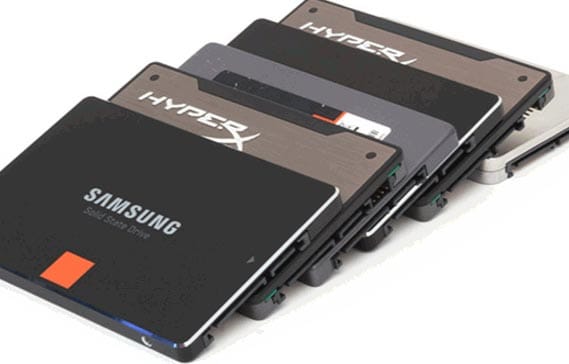
Solid State Drive Recovery
Lost data from your laptop? We can help! Call 1300 723 628 now for free diagnosis and same-day laptop data recovery service across Australia.
Laptop Brands We Recover Data From
We provide professional data recovery services for all laptop manufacturers:
- Windows Laptops: Dell (Inspiron, XPS, Latitude, Precision), HP (Pavilion, Envy, EliteBook, ProBook, Spectre), Lenovo (ThinkPad, IdeaPad, Yoga, Legion), ASUS (VivoBook, ZenBook, ROG), Acer (Aspire, Swift, Predator), MSI, Toshiba, Samsung, Sony VAIO, Surface Laptop
- Apple Laptops: MacBook Pro (all models 2012-2024), MacBook Air (all models 2012-2024), MacBook (Retina 2015-2019), MacBook (Unibody 2008-2012), PowerBook, iBook
- Gaming Laptops: ASUS ROG, MSI Gaming, Razer Blade, Alienware, Acer Predator, HP Omen, Lenovo Legion, Gigabyte Aorus
- Business Laptops: Dell Latitude, HP EliteBook, Lenovo ThinkPad, Microsoft Surface, Panasonic Toughbook
- Chromebooks: Google Pixelbook, HP Chromebook, Lenovo Chromebook, ASUS Chromebook, Acer Chromebook
Types of Data We Recover from Laptops
- Photos and videos — Family photos, vacation pictures, wedding photos, birthday videos, RAW camera files
- Documents — Word documents, Excel spreadsheets, PowerPoint presentations, PDF files, work documents
- Business files — Financial records, client databases, invoices, contracts, proposals, business plans
- Email data — Outlook PST files, Thunderbird emails, Apple Mail, Gmail offline storage
- Music and audio — iTunes libraries, MP3 collections, audio recordings, podcasts
- Design files — Photoshop PSD, Illustrator AI, InDesign files, CAD drawings, 3D models
- Programming code — Source code, development projects, databases, repositories
- Personal files — Tax documents, resumes, legal documents, medical records, personal archives
Why Laptop Data Loss Happens: Understanding the Causes
Laptops are particularly vulnerable to data loss due to their portable nature and compact design. Understanding why laptop data loss occurs helps prevent future disasters and explains why specialized laptop data recovery expertise is essential for successful file recovery.
Unlike desktop computers that sit safely on a desk, laptops travel everywhere—in bags, cars, planes, and coffee shops. This constant movement, combined with exposure to various environmental hazards, makes laptops prone to physical damage, liquid exposure, drops, and wear-related failures. Additionally, laptop storage drives operate in confined spaces with limited cooling, increasing thermal stress and accelerating component wear. Here are the most common reasons for laptop data loss:
- Physical drops and impact damage — Dropping a laptop causes immediate hard drive head crashes, SSD component damage, and circuit board failures leading to catastrophic data loss requiring professional recovery
- Liquid spills and water damage — Coffee, water, wine, or any liquid spilled on laptop keyboards seeps into the motherboard and storage drive, causing short circuits, corrosion, and water damaged laptop data loss requiring specialized recovery techniques
- Hard drive mechanical failures — Laptop hard drives with spinning platters suffer from read/write head crashes, motor seizures, platter scratches, and mechanical wear causing clicking sounds and complete drive failure
- SSD and NVMe failures — Solid-state drives fail due to controller chip failures, NAND flash wear, firmware corruption, and power surge damage causing sudden unrecoverable data loss without warning
- Overheating and thermal damage — Laptops with blocked vents, failing fans, or heavy workloads overheat causing hard drive damage, SSD controller failures, and thermal-induced data corruption
- Power surge damage — Lightning strikes, faulty chargers, or power fluctuations damage laptop storage controllers, causing electronic failures preventing drive detection
- Accidental deletion and formatting — Users accidentally delete critical files, empty recycle bin, or format drives during Windows reinstalls causing logical data loss recoverable through specialized software
- Operating system corruption — Failed Windows updates, corrupted system files, virus infections, and software crashes cause laptop won’t boot scenarios requiring data extraction
- Ransomware and malware — Crypto-ransomware encrypts laptop files demanding payment, while malware corrupts or deletes data requiring professional decryption or recovery services
- Battery and power issues — Laptop battery failures during file operations cause corruption, while sudden power loss during writes creates partially written files and file system damage
- Age-related wear — Older laptop hard drives (5+ years) develop bad sectors, worn components, and degraded performance leading to gradual or sudden complete failure
Whether you’re using a Dell laptop, MacBook Pro, or any other portable computer, these data loss causes affect every laptop user. Our specialists understand laptop-specific failure modes and provide recovery solutions optimized for portable computer data loss scenarios.
Common Laptop Data Loss Scenarios We Recover From
Our expert laptop data recovery technicians handle every type of laptop data loss scenario. From emergency business data recovery to personal photo recovery, we’ve successfully recovered data from tens of thousands of failed laptops. Here are the most frequent laptop data recovery situations we resolve:
- Laptop won’t turn on or boot — Recover data from completely dead laptops that show no signs of life, won’t power up, or have failed motherboards but intact storage drives
- Laptop shows black screen — Extract data from laptops stuck on black screen, no display output, or BIOS screen without Windows loading
- Laptop stuck on logo screen — Recover files from laptops frozen on manufacturer logo, Windows logo, or endless boot loops
- Hard drive clicking or beeping — Emergency recovery from failing laptop hard drives making clicking, beeping, or grinding noises indicating mechanical failure
- Blue screen errors and crashes — Data recovery from laptops with BSOD errors, critical system failures, or constant crashes preventing normal access
- Dropped laptop recovery — Recover data from laptops dropped on concrete, tile floors, or from significant heights causing physical drive damage
- Water spilled on laptop — Professional recovery from coffee spills, water damage, beverage accidents, or laptops dropped in water/pools
- Laptop in bag got crushed — Recover data from laptops compressed in luggage, backpacks, or cases causing bent chassis and drive damage
- Accidentally formatted laptop — Restore data from laptops formatted during Windows reinstall, factory reset, or accidental disk management operations
- Deleted important files — Recover permanently deleted photos, documents, videos after emptying recycle bin or using Shift+Delete
- Failed Windows update — Extract data from laptops bricked by failed Windows 10/11 updates preventing system startup
- Virus or ransomware attack — Recover encrypted files from ransomware attacks or restore data deleted/corrupted by malware
- Laptop overheated and died — Data recovery from laptops damaged by extreme overheating, thermal shutdowns, or cooling system failures
- Power surge during storm — Recover data from laptops damaged by lightning strikes or power surges during electrical storms
- Broken laptop screen — Extract data from laptops with shattered displays, broken hinges, or completely non-functional screens preventing access
- Laptop battery exploded — Recover data from laptops damaged by swollen or exploded batteries that may have damaged internal components
- Drive shows RAW format — Fix and recover data from laptop drives showing as RAW, unformatted, or requiring format in Windows
- Cannot access drive message — Recover files from drives showing “Drive is not accessible”, “Access denied”, or parameter incorrect errors
- Partition table corruption — Restore data from laptops with missing partitions, deleted volumes, or corrupted partition structures
- Failed laptop upgrade — Recover data after botched SSD upgrades, cloning failures, or BIOS update disasters
No matter what laptop data loss disaster you’re experiencing, our specialized recovery technicians have the expertise and equipment to recover your files. We work on all laptop storage types including 2.5″ SATA hard drives, M.2 SATA SSDs, NVMe SSDs, eMMC storage, and PCIe drives. Call 1300 723 628 for emergency laptop data recovery with same-day service available.
Our Laptop Data Recovery Process
When you need professional laptop data recovery, time and expertise matter. Our proven data recovery process ensures the highest success rate while protecting your data throughout the recovery. Here’s how we recover data from your failed laptop:
Step 1: Free Diagnosis and Assessment
Contact us immediately when data loss occurs. Our specialists assess your laptop failure, ask about symptoms, and provide initial recovery probability. We offer free diagnosis to determine if your data is recoverable and provide upfront pricing with our no data, no fee guarantee.
Step 2: Secure Laptop Delivery or Pickup
Bring your laptop to our office, or we arrange secure courier pickup across Australia. For water damaged laptops, we provide emergency instructions to prevent further damage. Your laptop is tracked and handled with extreme care throughout the recovery process.
Step 3: Professional Evaluation
Our technicians perform detailed diagnostics to identify the exact failure cause—logical errors, physical damage, mechanical failure, or electronic issues. We use specialized equipment to assess drive health without causing further damage. You receive a detailed report with recovery probability and pricing.
Step 4: Data Recovery Operations
Once approved, we begin recovery using appropriate techniques:
- Logical recovery — Software-based recovery for deleted files, formatted drives, or corrupted file systems
- Physical recovery — Clean room operations for mechanically failed hard drives requiring head replacement or platter transplant
- Electronic recovery — Circuit board repairs, chip-off recovery, or firmware reconstruction for electronic failures
- Advanced techniques — Specialized methods for encrypted drives, RAID laptops, or unique failure scenarios
Step 5: Data Verification and Delivery
Recovered files are verified for integrity and functionality. We provide your data on external hard drive, USB drive, or secure cloud transfer. You receive a complete list of recovered files before payment. Only when you confirm successful recovery do you pay.
Step 6: Secure Data Disposal
After confirming you have your data, we securely wipe all recovered files from our systems. Your original laptop drive is returned to you or securely destroyed per your request, ensuring complete data privacy.
Laptop Data Recovery Pricing and Guarantee
Our Pricing Promise
- Free initial diagnosis and recovery probability assessment
- No data, no fee guarantee — You only pay if we successfully recover your files
- Upfront pricing before recovery begins—no surprises
- Competitive rates based on failure complexity
- Emergency rush service available for urgent business needs
Typical Recovery Costs
- Logical recovery (deleted files, formatting) — $300-$600
- Standard physical recovery (mechanical failures) — $600-$1,200
- Complex recovery (severe damage, clean room work) — $1,200-$2,500
- Emergency same-day service — Additional $300-$500 rush fee
Important: Pricing varies based on laptop model, failure type, and data urgency. We provide exact quotes after free diagnosis. Most laptop data recovery jobs fall in the $400-$800 range.
Our Guarantees
- No Data, No Fee™ — If we cannot recover your data, you pay nothing
- 95%+ success rate — Industry-leading recovery success across thousands of cases
- Confidentiality guarantee — Your data remains private and secure
- No further damage — Professional handling prevents additional data loss
How to Prevent Laptop Data Loss
While we excel at laptop data recovery, prevention is always better than emergency recovery. Follow these critical steps to protect your laptop data:
- Implement 3-2-1 backup rule — Keep 3 copies of data on 2 different media types with 1 copy offsite (cloud backup)
- Use automatic cloud backup — Enable OneDrive, Google Drive, Dropbox, or Backblaze for automatic file backup
- External hard drive backups — Weekly or monthly backups to external USB drives stored separately from laptop
- Enable File History (Windows) — Automatic versioning and recovery of modified files
- Use Time Machine (Mac) — Hourly backups to external drive with easy recovery options
- Protect against physical damage — Use quality laptop bags with padding, avoid eating/drinking near laptop
- Maintain laptop cooling — Clean vents regularly, use cooling pads, avoid blocking air intake
- Install antivirus software — Protect against malware, ransomware, and viruses that cause data loss
- Keep Windows updated — Install security patches and updates to prevent system corruption
- Monitor drive health — Use CrystalDiskInfo or similar tools to check hard drive/SSD health indicators
- Replace aging drives — Laptop drives over 5 years old should be replaced proactively
- Handle with care — Avoid moving laptop while drive is spinning, shut down before transport
What NOT to Do When Laptop Data Loss Occurs
Your actions immediately after data loss can determine recovery success. Avoid these critical mistakes:
- DON’T keep powering on — Repeatedly trying to boot a failing laptop causes further damage
- DON’T use recovery software yourself — Amateur recovery attempts on physically damaged drives cause permanent data loss
- DON’T open the hard drive — Even brief exposure to air contaminates drive platters making recovery impossible
- DON’T write new data — Any new data overwrites deleted files making them unrecoverable
- DON’T attempt DIY repairs — Freezing drives, hitting laptops, or component swapping destroys data permanently
- DON’T ignore clicking sounds — Clicking hard drives are failing—continued use causes catastrophic damage
- DON’T delay — The sooner you seek professional recovery, the higher the success rate
Laptop Data Recovery FAQs
Can you recover data from a completely dead laptop?
Yes! Even if your laptop won’t turn on at all, we can remove the hard drive or SSD and recover data using specialized equipment. Most “dead laptop” scenarios involve motherboard failures while the storage drive remains intact and recoverable. We successfully recover data from 90%+ of dead laptops.
How much does laptop data recovery cost?
Laptop data recovery costs range from $300-$2,500 depending on failure type. Simple logical recovery (deleted files, formatting) costs $300-$600. Physical hard drive recovery with mechanical failures costs $600-$1,200. Complex recovery requiring clean room work costs $1,200-$2,500. We provide free diagnosis and exact pricing before work begins. Our “No Data, No Fee” guarantee means you only pay if we successfully recover your files.
How long does laptop data recovery take?
Most laptop data recovery takes 3-7 business days. Simple logical recovery often completes within 24-48 hours. Physical recovery requiring clean room work takes 5-10 days. Emergency same-day service is available for urgent business needs (additional rush fee applies). We’ll provide estimated timeline after free diagnosis.
What is your success rate for laptop data recovery?
We maintain a 95%+ success rate for laptop data recovery across all failure types. Success depends on damage severity—logically failed drives have 98%+ recovery rates, while severely physically damaged drives have 80-90% success rates. We provide honest assessment of recovery probability during free diagnosis.
Can you recover data from water damaged laptops?
Yes! We specialize in water damaged laptop recovery. Success depends on liquid type and how quickly you act. Pure water causes less damage than sugary beverages. Critical steps: immediately power off, do not try to turn on, remove battery if possible, contact us immediately. We use specialized cleaning and drying techniques to recover data from water damaged storage drives.
Will you be able to see my personal files during recovery?
Our technicians follow strict confidentiality protocols. While technical staff may see file names and types during recovery verification, we never access file contents. All employees sign NDAs, and your data is deleted from our systems immediately after successful delivery. We treat your data with complete privacy and security.
Can you recover deleted photos that I emptied from recycle bin?
Yes! Deleted files aren’t immediately erased—they’re marked as “deleted” but remain on the drive until overwritten. We use specialized software to recover deleted photos, videos, and documents even after emptying recycle bin. Success rate depends on time since deletion and whether new data was written. Act quickly for best results—avoid using the laptop after deletion.
Can you recover data from encrypted laptops (BitLocker/FileVault)?
Yes, but we need your encryption password or recovery key. For BitLocker (Windows) and FileVault (Mac), we can recover encrypted data if you provide credentials. Without the password/key, encrypted data is unrecoverable—this is by design for security. Always backup encryption keys separately from the laptop.
My laptop fell and now makes clicking sounds. Can you recover data?
Yes! Clicking or beeping sounds indicate mechanical hard drive failure—usually failed read/write heads. This requires emergency professional recovery. STOP using the laptop immediately—continued use causes permanent damage. Contact us for same-day recovery service. We perform clean room head replacement to recover your data. Success rate: 85-95% if you stop using immediately.
Can you recover data if I formatted my laptop?
Yes! Formatted drives are highly recoverable unless you performed multiple overwrites or installed new Windows. Quick format is easily recoverable. Full format is still recoverable but more complex. Stop using the laptop immediately and contact us. The less new data written after formatting, the more we can recover. Typical success rate: 80-95% of original data.
Ready to Recover Your Laptop Data?
Don’t risk losing your precious files forever. Our expert laptop data recovery technicians are ready to help with fast, professional recovery backed by our No Data, No Fee guarantee.
Take action now:
- Stop using your laptop immediately to prevent further damage
- Contact us for free diagnosis and recovery assessment
- Get your data back with our 95%+ success rate
Request Free Diagnosis Online OR Call 1300 723 628 Now
Emergency same-day service available • No data, no fee guarantee • 95%+ success rate • Nationwide service
Call our data recovery specialists now on 1300 723 628 for professional laptop data recovery across Australia—serving all cities with secure courier pickup for dead, broken, and water damaged laptops.






















































































