



Hard Drive Clicking Sound? What It Means & What You Should Do Immediately
Hearing a clicking sound from your hard drive is never something to ignore. While computers naturally make small operational noises, a repetitive clicking, ticking, or knocking sound often signals a serious internal problem — and your data may be at risk.
If your computer has suddenly started making unusual noises, especially rhythmic clicks, this guide explains exactly what is happening, what causes it, and the safest steps you should take right away.
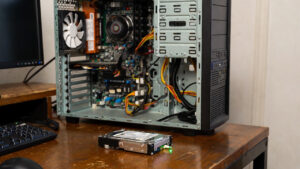
hard drive clicking sound
What Is a Hard Drive Clicking Sound?
Traditional hard drives (HDDs) store data on rapidly spinning magnetic platters. Inside the drive, a delicate actuator arm moves read/write heads across the platter surface to access your files. When something prevents the heads from operating correctly, the mechanism repeatedly attempts to recalibrate — producing the familiar clicking noise technicians often refer to as the “click of death.”
This noise is not normal drive activity. Modern hard drives typically operate with only a faint hum. Loud or repeated clicking almost always indicates a fault.
Why Do Hard Drives Start Clicking?
Mechanical Failure (Most Common Cause)
Hard drives contain precision-engineered moving parts. Wear, age, vibration, or minor impacts can cause the read/write heads or actuator assembly to malfunction. When the heads cannot correctly locate data, the drive repeatedly retries — causing clicks.
Physical Damage
If a laptop or external drive was dropped, bumped, or moved while operating, internal components may be damaged. Even small shocks can misalign heads or scratch platters.
Power Delivery Problems
Unstable power from a failing power supply, damaged USB cable, or faulty port can prevent the drive from spinning consistently. Drives struggling to initialise may produce clicking sounds.
Firmware or Electronic Faults
Hard drives rely on embedded firmware and control electronics. Corruption or PCB failure can trigger endless recalibration attempts, resulting in repetitive noise.
Is a Clicking Hard Drive Dangerous?
Yes — a clicking drive is typically a critical warning sign. In many cases, it precedes complete failure. Continued use can worsen internal damage and drastically reduce the chances of successful data recovery.
Importantly:
- Your files may already be inaccessible
- The problem rarely resolves itself
- DIY fixes can permanently destroy recoverable data
What You Should Do Immediately
1. Power Down the Computer
Turn the system off as soon as possible. Every additional spin cycle may increase damage.
2. Do NOT Attempt Home Remedies
Internet myths such as freezing, tapping, or shaking a hard drive are extremely risky and frequently make recovery impossible.
3. Stop Rebooting Repeatedly
Repeated startup attempts stress failing components. This often turns minor damage into catastrophic failure.
4. Seek Professional Assessment
Hard drives require specialised equipment and cleanroom environments for safe repair or data recovery. Opening a drive outside of a certified lab introduces microscopic contaminants that permanently damage platters.
Can Data Be Recovered From a Clicking Drive?
In many cases — yes — but success depends heavily on how quickly the drive is handled correctly. Drives that are powered down early and examined by professionals have far higher recovery success rates.
However, continued operation, software scans, or DIY attempts can greatly reduce recoverability.
Clicking Noise vs Normal Drive Sounds
Some users worry unnecessarily about harmless sounds. Here’s a simple distinction:
- Normal: Soft spin-up hum, faint movement noise
- Abnormal: Loud, repetitive clicking, ticking, knocking
If the sound is new, persistent, or increasing, it should be investigated.
Frequently Asked Questions
Do SSDs make clicking sounds?
No. Solid State Drives contain no moving parts and cannot produce mechanical clicking noises.
Will restarting fix the problem?
Almost never. Clicking noises indicate hardware-level faults, not temporary software issues.
Can I copy files before the drive fails?
If the drive is still detected, immediate backup may be possible — but delays are dangerous. Drives can fail without warning.
Can a clicking hard drive be repaired?
Mechanical repairs require specialised tools and controlled environments. Consumer repair attempts usually cause further damage.
When To Call a Technician
You should seek help urgently if:
- The clicking noise is repetitive or loud
- The computer freezes or fails to boot
- Files disappear or become unreadable
- The drive is not detected
Protect Your Data Before It’s Too Late
A clicking hard drive is one of the clearest indicators of imminent failure. Early intervention is the single biggest factor influencing data recovery success.
The Original PC Doctor can diagnose failing drives, advise on safe recovery options, and help protect valuable data before permanent loss occurs.






















































































