



🚨 EMERGENCY Water Damaged Device Data Recovery – Every Hour Matters!
Spilled coffee on your laptop? Dropped your phone in the toilet? Left your device in the rain? Every minute counts when liquid damage occurs. Corrosion begins spreading across circuit boards within hours, permanently destroying your precious photos, critical business documents, and irreplaceable memories.
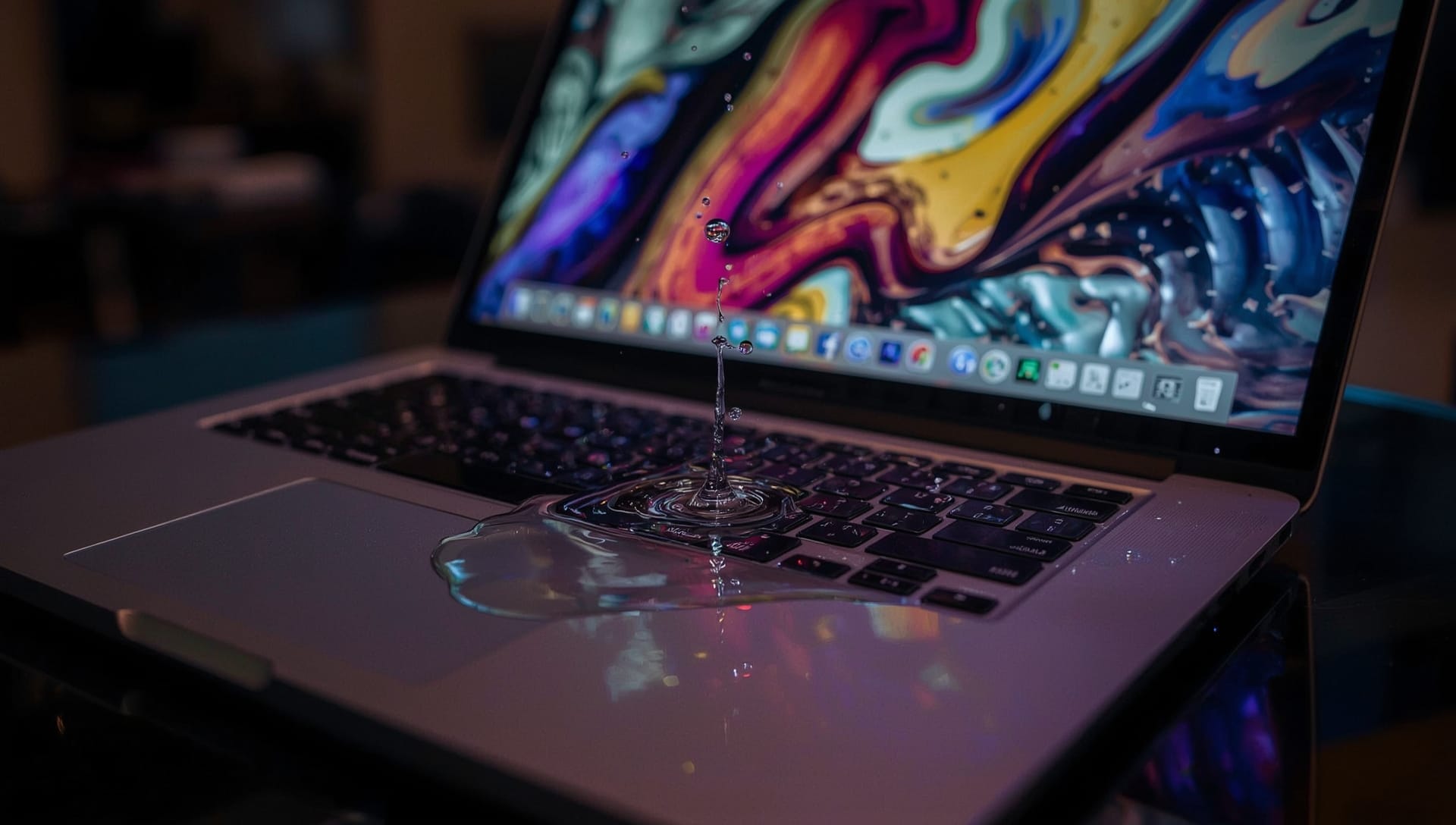
Water Damaged Device Data Recovery
At The Original PC Doctor, we specialize in emergency water damaged device recovery across Melbourne, Sydney, Brisbane, Perth, and Adelaide. With 30+ years of experience, an ISO-5 clean room facility, and same-day emergency service, we understand that time is your enemy when liquid meets electronics. Whether it’s a MacBook Pro flooded with coffee during a crucial presentation, an iPhone dropped in water containing years of family photos, or a laptop caught in unexpected rain with critical business files, we provide rapid-response data recovery when seconds matter most.
Don’t wait – corrosion is happening RIGHT NOW as you read this! Our emergency response team is standing by to stabilize your device and begin the recovery process immediately. We recover data from:
- 💻 Laptops: MacBook Pro, MacBook Air, Dell XPS, HP Spectre, Lenovo ThinkPad, Surface Laptop, Asus ZenBook – ALL brands and models
- 📱 Smartphones: iPhone (all models 4-15 Pro Max), Samsung Galaxy (S/Note/A/Z series), Google Pixel, Oppo, Huawei – iOS and Android
- 📲 Tablets: iPad (all models), iPad Pro, Samsung Galaxy Tab, Surface Pro, Android tablets
- 🖥️ Desktops: iMac, Mac Mini, Mac Studio, custom-built PCs, All-in-One computers
- 💾 Storage Devices: External hard drives, USB drives, SD cards, camera equipment
⚠️ CRITICAL LIQUID DAMAGE SCENARIOS WE HANDLE:
- ☕ Coffee/Tea Spills: The most common office disaster – sugary liquids accelerate corrosion
- 🚽 Toilet/Water Drops: Full submersion – immediate action required
- 🌧️ Rain/Weather Damage: Caught in unexpected downpour, backpack leaked
- 🌊 Flood Damage: Natural disasters, basement flooding, burst pipes
- 👕 Washing Machine: Device left in pocket, went through full cycle
- 🍷 Beverages: Wine, juice, soda, energy drinks, beer
- 💧 Pure Water: Swimming pool, beach, dropped in sink/bathtub
- 🏊 Saltwater: Ocean, saltwater exposure (highly corrosive)
⚠️ WARNING: Every hour you wait increases the risk of permanent data loss. Corrosion spreads across circuit boards, dissolves connections, and destroys storage chips. What might be 95% recoverable now could be only 20% recoverable tomorrow. Call 1300 723 628 immediately – we offer same-day emergency service!
🚨 Emergency Water Damage Signs – Act Immediately If You See These!
Water and electronics are a catastrophic combination. Here are the critical warning signs that your device has suffered liquid damage and requires immediate professional attention. Don’t attempt to power on your device if you see any of these symptoms – you could cause irreversible damage!
💻 Laptop Water Damage Symptoms:
- 💧 Visible liquid inside keyboard or screen
- ⚡ Device won’t power on after liquid contact
- 🎹 Keyboard keys sticky, unresponsive, or typing wrong characters
- 🖥️ Screen showing lines, spots, or distortion
- 🔊 Speakers crackling or producing distorted sound
- 🔌 Charging port not working or showing moisture warning
- 🌡️ Device running extremely hot
- 💨 Smoke or burning smell from device
- 🔋 Battery draining extremely fast
- 🎨 Display has water spots or condensation under glass
- ⌨️ Trackpad not clicking properly or unresponsive
- 🔁 Device powers on but immediately shuts down
- 📊 Random freezing, crashes, or blue screen errors
- 🎵 No sound output from speakers
- 🌈 Screen showing rainbow patterns or color distortion
- ⚠️ Liquid damage indicator (LDI) activated (visible red/pink sticker)
- 💾 Hard drive making clicking or grinding sounds
- 🔆 Backlight not working (screen very dim)
📱 Phone/Tablet Water Damage Symptoms:
- 🚫 Device completely dead – won’t turn on or charge
- 📵 “Liquid detected in Lightning connector” or “Moisture detected” warning
- 📸 Camera lens fogged up with condensation
- 🎤 Microphone not working during calls
- 🔊 Speaker producing muffled, distorted, or crackling sound
- 📲 Touch screen unresponsive or registering phantom touches
- 🔋 Battery percentage jumping erratically
- ♨️ Device overheating significantly
- 🎨 Screen discoloration, lines, or dead pixels
- 📶 No cellular signal or “No Service” message
- 📡 WiFi and Bluetooth not working
- ⚡ Charging extremely slowly or not at all
- 🔁 Boot loop – stuck on logo screen, restarts repeatedly
- 💾 Storage showing as corrupted or inaccessible
- 📷 Photos appearing distorted or corrupted
- 🔇 No sound from earpiece during calls
- 💡 Flashlight won’t turn on
- 🎬 Video playback stuttering or failing
- ⚠️ Visible corrosion on charging port (green/white residue)
- 🔴 Liquid damage indicator triggered (red/pink visible in SIM tray)
🖥️ Desktop/iMac Water Damage Symptoms:
- 💀 Computer won’t turn on at all – no lights, no fans
- 🔌 Power supply clicking or buzzing sound
- 🌈 Random colored artifacts on screen
- 🖱️ USB ports not recognizing devices
- 💾 Hard drives not detected in BIOS
- ⚡ Motherboard power LED flashing error codes
- 🔊 Internal speaker beeping error codes during boot
- 💨 Burning smell from case
- 🌡️ System overheating and shutting down
- 🎮 Graphics card not displaying video output
- 📀 Optical drive not opening or reading discs
- 🔁 Computer starts but shows “No bootable device” error
- 🖥️ Monitor shows “No signal” despite computer running
- ⚙️ BIOS settings resetting constantly
- 💽 RAID array showing degraded or failed status
💾 External Storage Water Damage Symptoms:
- 🚫 Drive not recognized by any computer
- ⚠️ “Drive needs to be formatted” error message
- 🔄 Drive spins up but disconnects immediately
- 🎵 Unusual clicking, beeping, or grinding noises
- ⚡ No lights or power indication
- 📊 Files showing as corrupted when accessed
- 🔌 USB connector showing visible corrosion
⚡ CRITICAL: What to Do RIGHT NOW If Your Device Gets Wet!
Your actions in the next 2-6 hours will determine whether your data can be recovered! Follow these steps immediately to maximize recovery chances and minimize permanent damage. Every second counts!
✅ DO THESE IMMEDIATELY:
- 🔌 POWER OFF INSTANTLY: If your device is on, turn it off immediately. Do NOT attempt to “test” if it still works – electrical current through wet circuits causes rapid oxidation and shorts components.
- 🔋 REMOVE POWER SOURCE:
- Laptops: Unplug charger immediately, remove battery if possible
- Phones/Tablets: Do NOT charge, do NOT plug in
- Desktops: Unplug power cord from wall outlet
- 📱 REMOVE ACCESSORIES: Take out SIM cards, SD cards, remove phone cases, disconnect all peripherals. These can trap moisture.
- 🔄 POSITION FOR DRAINAGE:
- Laptops: Flip upside down in tent position (keyboard facing down)
- Phones: Stand vertically with charging port facing down
- This helps liquid drain OUT instead of deeper INTO components
- 🧻 SURFACE DRY ONLY: Gently blot visible moisture with lint-free cloth or paper towel. Do NOT rub or apply pressure – you’ll push liquid deeper into device.
- 📞 CALL US IMMEDIATELY: 1300 723 628 – Our emergency team will guide you through next steps and arrange immediate pickup/drop-off. Same-day service available!
❌ DO NOT DO THESE – You’ll Cause Permanent Damage:
- 🚫 DO NOT TURN IT ON: This is the #1 mistake! Even if device seems dry, liquid remains inside. Powering on creates shorts and oxidation. We’ve seen fully recoverable devices become unrecoverable because users “just wanted to test it quickly.”
- 🚫 DO NOT USE RICE: Rice does NOT dry electronics effectively. Rice dust gets into ports and crevices, making professional recovery harder. This is a myth that costs people their data!
- 🚫 DO NOT USE HEAT: No hair dryers, no ovens, no radiators, no direct sunlight. Heat warps plastic components, melts solder joints, and accelerates corrosion. Professional recovery requires low-temperature controlled drying.
- 🚫 DO NOT SHAKE OR BLOW: Don’t shake device to remove water. Don’t blow into ports. You’ll push liquid deeper into critical components and spread it to dry areas.
- 🚫 DO NOT CHARGE: Absolutely do NOT attempt to charge device “to see if battery works.” You’ll create shorts on charging circuit and power management chips – expensive components that are hard to replace.
- 🚫 DO NOT USE COMPRESSED AIR: High-pressure air forces liquid into sealed components, under chips, and into impossible-to-dry areas.
- 🚫 DO NOT WAIT “TO SEE IF IT DRIES”: Every hour increases corrosion damage exponentially. What’s 90% recoverable now might be 30% recoverable in 24 hours. Time is NOT your friend here!
- 🚫 DO NOT DISASSEMBLE (Unless Trained): Modern devices have proprietary screws, easily-damaged ribbon cables, and components that require specific reassembly sequences. DIY disassembly often causes more damage than the original liquid exposure.
⏰ The Critical 2-6 Hour Window:
Here’s what’s happening inside your device RIGHT NOW:
- 0-2 Hours: Liquid is still wet, corrosion hasn’t started significantly. Success rate: 80-95% if handled correctly.
- 2-6 Hours: Oxidation beginning on exposed metal contacts. Conductive residue forming. Success rate: 60-85% with professional treatment.
- 6-24 Hours: Active corrosion spreading. Circuit traces dissolving. Component pins oxidizing. Success rate: 40-70%.
- 24-48 Hours: Significant damage to circuit boards. Storage chip connections corroding. Success rate: 20-50%.
- 48+ Hours: Severe corrosion, potential permanent data loss. Success rate: 10-30% depending on liquid type.
⚠️ SALTWATER, COFFEE, OR SUGARY DRINKS? These are FAR MORE DAMAGING than pure water! Corrosion happens 3-5x faster. Your critical window might be only 1-3 hours instead of 6. Call immediately: 1300 723 628
📍 SAME-DAY EMERGENCY SERVICE: We understand liquid damage emergencies can’t wait for “business hours.” We offer same-day service across Melbourne, Sydney, Brisbane, Perth, and Adelaide. Call 1300 723 628 and our emergency team will prioritize your case immediately!
💧 Complete Device Coverage – We Recover Data From ALL Water Damaged Devices
Whether it’s a brand-new MacBook Pro or a 10-year-old ThinkPad, our water damage recovery expertise extends across every major device type and manufacturer. Here’s our complete coverage – if your device got wet, we can help!
💻 Laptop Water Damage Recovery:
🍎 Apple MacBook Recovery (All Models):
- MacBook Pro: 13″, 14″, 15″, 16″ (2012-2024) – Intel and Apple Silicon (M1, M2, M3, M3 Pro, M3 Max)
- MacBook Air: 11″, 13″, 15″ (2012-2024) – Intel and M1/M2/M3 models
- MacBook: 12″ Retina models (2015-2019)
- MacBook (Original): Pre-Unibody models (2006-2011) – White/Black plastic body
- ⚠️ Special Challenge: Apple Silicon (M1/M2/M3) devices have storage soldered directly to motherboard. Water damage to logic board can destroy storage permanently. Critical 2-hour response window!
🖥️ Windows Laptop Recovery (All Brands):
- Dell: XPS 13/15/17, Inspiron, Latitude, Precision, Alienware (gaming models), Vostro
- HP: Spectre, Envy, Pavilion, EliteBook, ProBook, ZBook, Omen (gaming)
- Lenovo: ThinkPad (T/X/P/L series), IdeaPad, Yoga, Legion (gaming), ThinkBook
- Asus: ZenBook, VivoBook, ROG (gaming), TUF Gaming, ProArt, ExpertBook
- Acer: Swift, Aspire, Predator (gaming), Nitro, TravelMate, ConceptD
- Microsoft: Surface Laptop (all generations), Surface Laptop Go, Surface Laptop Studio, Surface Book
- MSI: Prestige, Modern, Creator, GS/GE/GP (gaming series)
- Razer: Razer Blade (13/14/15/17), Blade Stealth, Blade Pro
- Samsung: Galaxy Book, Galaxy Book Pro, Notebook series
- LG: Gram series (all sizes)
- Gigabyte: Aero, Aorus (gaming)
- Toshiba: Satellite, Portege, Tecra (legacy models)
- Sony: VAIO series (legacy models)
📱 Smartphone Water Damage Recovery:
🍎 iPhone Recovery (All Models):
- iPhone 15 Series: 15, 15 Plus, 15 Pro, 15 Pro Max
- iPhone 14 Series: 14, 14 Plus, 14 Pro, 14 Pro Max
- iPhone 13 Series: 13, 13 Mini, 13 Pro, 13 Pro Max
- iPhone 12 Series: 12, 12 Mini, 12 Pro, 12 Pro Max
- iPhone 11 Series: 11, 11 Pro, 11 Pro Max
- iPhone XS/XR Series: XS, XS Max, XR
- iPhone X/8 Series: X, 8, 8 Plus
- iPhone 7 Series: 7, 7 Plus (first “water resistant” model – still gets water damage!)
- iPhone 6S/SE Series: 6S, 6S Plus, SE (1st/2nd/3rd gen)
- iPhone 6/5S/5C/5/4S/4: All legacy models
- ⚠️ Note: “Water resistant” does NOT mean waterproof! iPhone 7 and newer have IP ratings but still suffer water damage from prolonged exposure, saltwater, hot liquids, or compromised seals.
📱 Android Smartphone Recovery:
- Samsung Galaxy S Series: S24/S23/S22/S21/S20/S10/S9/S8/S7/S6 (all variants: Ultra, Plus, FE)
- Samsung Galaxy Note Series: Note 20/10/9/8/7/5/4/3
- Samsung Galaxy A Series: A54/A53/A52/A51/A50/A34/A33/A32/A23/A22/A14/A13/A12
- Samsung Galaxy Z Series: Z Fold 5/4/3/2, Z Flip 5/4/3
- Google Pixel: Pixel 8/7/6/5/4/3/2/XL models
- Oppo: Find X6/X5, Reno 10/9/8/7, A Series models
- Huawei: P60/P50/P40/P30, Mate 60/50/40/30, Nova series
- Xiaomi: 13/12/11, Mi 10/9, Redmi Note series, POCO series
- OnePlus: 11/10/9/8/7/6, Nord series
- Motorola: Edge series, Moto G series, Razr (foldable)
- Sony: Xperia 1/5/10 series
- LG: G8/G7/G6/G5, V60/V50/V40/V30, Wing (legacy models)
- Nokia: All Android models
📲 Tablet Water Damage Recovery:
- iPad Models: iPad Pro (12.9″/11″), iPad Air (all generations), iPad (10th/9th/8th gen), iPad Mini (6/5/4)
- Samsung Tablets: Galaxy Tab S9/S8/S7/S6, Tab A series, Tab Active (rugged)
- Surface Tablets: Surface Pro 9/8/7/6/X, Surface Go
- Amazon Fire: Fire HD 10/8, Fire Max 11
- Lenovo Tablets: Tab P12/P11, Yoga Tab series
🖥️ Desktop Water Damage Recovery:
- iMac: 24″ M1/M3, 27″ Retina 5K, 21.5″ (all generations 2009-2022)
- Mac Mini: M2/M1, Intel models (2012-2020)
- Mac Studio: M2 Ultra/Max, M1 Ultra/Max
- Mac Pro: 2023/2019 models, legacy “trash can” and tower models
- Custom Built PCs: Gaming rigs, workstations, home servers
- Brand Desktops: Dell, HP, Lenovo, Asus, Acer (All-in-One and tower models)
💾 External Storage Water Damage Recovery:
- External HDDs: WD My Passport/Elements, Seagate Backup Plus/Expansion, Toshiba Canvio, LaCie Rugged
- External SSDs: Samsung T7/T5, SanDisk Extreme, WD My Passport SSD, Crucial X6/X8
- USB Flash Drives: All brands and capacities (SanDisk, Kingston, Samsung, PNY)
- SD/microSD Cards: All camera and drone memory cards
- Portable NAS: Synology, QNAP, WD My Cloud
💧 Liquid Type Considerations:
Not all liquids cause equal damage. Recovery complexity and success rates vary significantly:
- Pure Water: Least damaging (pools, sinks, rain) – 70-90% success if treated quickly
- Coffee/Tea: Sugar and tannins accelerate corrosion – 60-80% success, requires immediate ultrasonic cleaning
- Soda/Juice: High sugar content leaves conductive residue – 50-75% success, extensive cleaning required
- Beer/Wine/Alcohol: Moderate corrosion, can penetrate deeper than water – 60-80% success
- Saltwater: EXTREMELY corrosive, fastest damage progression – 30-60% success, requires immediate professional treatment
- Toilet Water: Contaminated water, requires thorough sanitization – 50-80% success (depends on exposure time)
🔬 Professional Water Damage Recovery Methods – How We Save Your Data
Water damaged device recovery requires specialized equipment, controlled environment conditions, and expert-level knowledge of electronics repair and data extraction. Here’s exactly how we approach each case and what you can expect during the recovery process. Unlike consumer “let it dry” approaches, professional recovery involves immediate intervention to halt corrosion and extract data before permanent damage occurs.
Method 1: Emergency Stabilization & Ultrasonic Cleaning
When Used: First response for ALL water damaged devices. This is our immediate intervention to halt corrosion progression.
The Process:
- Immediate Disassembly: Device is opened within minutes of arrival using specialized tools. We document liquid extent with photos for insurance claims if needed.
- Power Disconnection: Battery removed/disconnected, all power sources isolated to prevent electrical shorts during cleaning.
- Ultrasonic Bath Cleaning: Circuit boards submerged in specialized cleaning solution inside ultrasonic cleaner. High-frequency sound waves (40kHz) create microscopic bubbles that penetrate under chips, connectors, and into tiny crevices, dislodging liquid, corrosion, and contaminants without mechanical scrubbing that could damage delicate components.
- Isopropyl Alcohol Rinse: 99% pure isopropyl alcohol bath displaces remaining water and cleaning solution. Alcohol evaporates much faster than water, carrying away moisture.
- Controlled Drying: Components placed in low-temperature drying chamber (40-50°C max) with controlled airflow for 2-4 hours. No heat damage risk like hair dryers.
- Visual Inspection: Under microscope, we examine for remaining corrosion, damaged components, burnt circuits, and assess repairability.
Success Rate: 80-95% for recent liquid exposure (under 6 hours) with pure water. 60-80% for sugary/salty liquids.
Timeline: 4-8 hours for cleaning and initial assessment. Same-day service available for emergency cases.
Cost Range: $400-$800 (included in all water damage recovery services)
What It Recovers: If liquid hasn’t caused permanent component failure, this method allows device to power on normally and all data remains accessible. Ideal outcome – device functional + data intact.
Method 2: Component-Level Board Repair & Data Extraction
When Used: When cleaning alone isn’t sufficient and specific components have failed due to liquid damage (power management chips, storage controllers, CPU/RAM circuits).
The Process:
- Circuit Tracing: Using multimeter and schematic diagrams, we identify exact failed components by testing voltage rails, resistance values, and signal paths.
- Microsoldering Repair: Under microscope with specialized micro-soldering equipment, we replace damaged components:
- Corroded capacitors and resistors
- Burned power management ICs (PMIC chips)
- Failed charging circuits (Tristar/Hydra on iPhones)
- Damaged storage controllers
- Corroded NAND flash memory connections
- Circuit Reconstruction: If circuit traces dissolved from corrosion, we use jumper wires (30AWG ultra-fine wire) to rebuild connections under microscope.
- Testing & Validation: After repairs, device powered on incrementally. We monitor current draw at each power stage to detect shorts or additional failures.
- Data Extraction: Once device stable, we clone entire storage to backup image, then extract all recoverable files to external storage.
Success Rate: 60-85% depending on damage extent and component availability. Some components (especially proprietary Apple chips) aren’t available as spare parts.
Timeline: 1-3 days for diagnosis and repair. Complex cases may take 4-5 days.
Cost Range: $800-$1,500 for phones/tablets, $1,000-$2,000 for laptops, depending on component costs and repair complexity.
What It Recovers: All data stored on device’s internal storage (photos, documents, messages, app data). May restore device to fully functional status in many cases.
Method 3: Direct Storage Chip Data Extraction (Chip-Off Recovery)
When Used: When device is too damaged for component repair, or storage controller failed but storage chips intact. This is our “last resort” method for catastrophic liquid damage.
The Process:
- Storage Chip Identification: We identify storage chip type (NAND flash configuration, manufacturer, capacity) using device specifications and visual inspection.
- Heat-Controlled Chip Removal: Using hot air rework station with precise temperature control (350-400°C), we carefully desolder storage chip from motherboard. This requires extreme precision – too much heat damages data, too little prevents removal.
- Chip Cleaning & Preparation: Removed chip cleaned under microscope to remove solder residue. Pins inspected for corrosion damage.
- Chip Reading Adapter Installation: Storage chip installed into specialized chip reader that connects to our recovery workstation. Different adapters required for BGA, TSOP, LGA package types.
- Raw Data Extraction: Using specialized software (PC-3000, UFS Explorer, proprietary tools), we read raw data from chip at hardware level. This bypasses damaged controller and reads NAND cells directly.
- Data Reconstruction: Raw chip data is scrambled and error-correction coded. We use device-specific algorithms to reconstruct file system (APFS for Mac/iOS, ext4 for Android, NTFS for Windows).
- File Recovery & Validation: Reconstructed file system mounted, all recoverable files extracted. We verify file integrity (photos open, documents readable, videos play).
Success Rate: 50-75% for severely water damaged devices. Success depends on whether corrosion reached NAND flash memory cells themselves. If storage chip completely corroded, no recovery possible.
Timeline: 3-5 days for chip extraction and data reconstruction. Complex cases (encrypted, RAID arrays, proprietary formats) may take 7-10 days.
Cost Range: $1,200-$2,500 due to specialized equipment required, time intensity, and risk of chip damage during removal.
What It Recovers: Photos, videos, documents, contacts, messages – file-level data. Cannot recover app data, passwords, or operating system (device won’t be functional afterward).
⚠️ Limitation: This method DESTROYS the device permanently. Chip cannot be resoldered back. Only chosen when all other methods have failed or aren’t viable.
Method 4: Encrypted Device Recovery (iPhone/Mac Specialty)
When Used: Water damaged iPhones with passcodes, Macs with FileVault encryption, encrypted Android devices where standard methods won’t work due to encryption barriers.
The Process:
- Encryption Assessment: We determine if device has hardware encryption (Secure Enclave/T2 chip) or software encryption (BitLocker, FileVault, Android encryption).
- Component Repair Focus: For encrypted devices, we MUST repair device to functional state – chip-off won’t work because data is encrypted at hardware level. We focus repairs on:
- iPhone: Repairing logic board to allow boot, then using trusted computer authentication to bypass passcode
- Mac: Repairing T2 chip connections, then using FileVault recovery key or trusted user authentication
- Android: Repairing to boot state, using ADB debugging or manufacturer unlock tools
- Authentication Bypass: If user knows passcode, we simply repair device enough to boot and authenticate. If passcode forgotten, we use advanced forensic tools (Cellebrite, GrayKey for law enforcement use only) but success rates are very low (20-30%).
- Backup Creation: Once authenticated, we create full encrypted backup, then decrypt using provided credentials.
- Data Extraction: All data extracted from decrypted backup image.
Success Rate: WITH passcode: 70-85%. WITHOUT passcode: 20-40% (depending on device model and iOS/MacOS version). Modern encryption is designed to be unbreakable – if we can’t repair device to working state and user doesn’t know passcode, recovery is unlikely.
Timeline: 2-5 days depending on repair complexity and encryption type.
Cost Range: $1,000-$2,500. Encrypted device recovery requires specialized forensic tools (expensive licensing) and significantly more time investment.
What It Recovers: If successful, EVERYTHING – messages, photos, app data, passwords, browsing history, notes – complete device backup in decrypted state.
⚠️ Critical Requirement: User MUST provide passcode or recovery key. Without authentication credentials, success rates drop dramatically. If you remember your passcode, tell us immediately – it makes recovery significantly more likely!
Method 5: Emergency Data Cloning & Storage Replacement
When Used: When storage drive itself is failing due to liquid damage (hard drive head crash, SSD controller failure) but hasn’t completely failed yet. Time-critical – drive could fail completely any moment.
The Process:
- Immediate Assessment: We test if storage drive still responds. If it does (even intermittently), we prioritize this method over cleaning/repair.
- Emergency Cloning: Using specialized cloning tools (DeepSpar, PC-3000, ddrescue), we create sector-by-sector image of failing drive. Software retries bad sectors multiple times, skips unreadable areas, comes back to retry later – maximizing data recovery from dying drive.
- Work From Clone: Once raw image captured (even if incomplete), we work from this backup copy for all recovery attempts. Original drive set aside in case additional attempts needed.
- File System Repair: Clone image often has corrupted file system due to partial failure. We use repair tools to reconstruct directory structure, file allocation tables, and metadata.
- File Extraction: All recoverable files extracted from repaired image. Photos may be partially corrupted, videos may have bad sections, documents usually recover well (small file sizes).
- Storage Replacement: If user wants device functional again, we replace damaged storage with new drive/SSD, reinstall OS, restore recovered data.
Success Rate: 60-90% depending on how much drive failure progressed before our intervention. If drive still spinning/responding when we receive it, chances are very good. If drive already completely failed, success rate drops to 40-60%.
Timeline: 1-3 days for cloning and file extraction. Cloning can’t be rushed – forcing failing drive reads too many sectors at once causes complete failure.
Cost Range: $600-$1,500 for cloning and recovery. Add $200-$400 if device repair desired (new storage installation, OS reinstall).
What It Recovers: All files stored on drive at time of failure. Recent files may be corrupted. Best recovery rates for older/static data (photos from months/years ago), lower for files being actively edited when liquid damage occurred.
🎯 Which Method Will We Use For Your Device?
We determine the optimal recovery strategy based on:
- Time Since Liquid Contact: Under 6 hours = cleaning priority. Over 24 hours = component repair likely needed.
- Liquid Type: Pure water = better prognosis. Coffee/soda = extensive cleaning. Saltwater = aggressive intervention required.
- Current Device State: Still powers on = excellent. Partially responsive = good. Completely dead = challenging.
- Encryption Status: Encrypted devices require different approach focusing on getting device bootable rather than chip-off recovery.
- Storage Type: Removable storage (HDD/SSD) = can be worked on directly. Soldered storage (MacBook, iPhone) = more complex recovery.
- Data Priority: If specific files critical (wedding photos, business documents), we prioritize methods with highest success for those file types.
- Budget Constraints: We’ll discuss method options and costs upfront. Sometimes simpler method attempted first, escalate if unsuccessful.
Our Promise: We ALWAYS attempt the least invasive method first (cleaning), only escalating to more aggressive techniques (chip-off) if necessary. No Data, No Fee guarantee applies to all methods – you only pay if we successfully recover your data!
📊 What Data Can Be Recovered From Water Damaged Devices?
Water damage affects devices differently than logical failures (accidental deletion, formatting). Understanding what’s typically recoverable helps set realistic expectations for your specific situation.
✅ HIGHLY Recoverable Data (80-95% Success):
- 📸 Photos & Images: JPEG, PNG, RAW files, screenshots, camera photos, downloaded images
- 🎥 Videos: MP4, MOV, AVI files from camera, social media downloads, screen recordings
- 📄 Documents: Word, Excel, PowerPoint, PDF, text files, work documents
- 📧 Email Archives: Downloaded email files (PST, MBOX), local email storage
- 🎵 Music & Audio: MP3, FLAC, WAV files, voice memos, audio recordings
- 📁 File Storage: Downloads folder, desktop files, documents folder
- 🗂️ Archived Files: ZIP, RAR, 7Z archives, backup files
✅ RECOVERABLE Data (60-85% Success):
- 💬 Messages: SMS/MMS history, WhatsApp chats, Messenger conversations (if device bootable or encrypted backup accessible)
- 📞 Call Logs: Phone call history, voicemail files
- 📱 App Data: App documents, game saves, notes apps, productivity apps (if device can boot or be repaired)
- 📖 eBooks: Kindle files, ePub documents, PDF books
- 🔖 Browser Data: Downloaded files, bookmarks (if device bootable)
- 📊 Spreadsheets & Databases: Excel files, Access databases, SQL files
⚠️ CHALLENGING Data (30-60% Success):
- 🔐 Encrypted Files: BitLocker, FileVault protected files (requires password/recovery key)
- 🎮 Game Saves: Console game progress (depends on storage type and encryption)
- 💻 Virtual Machines: Large VM disk images (depends on corruption extent)
- 🗄️ Email Servers: Exchange databases, mail server files (large files more vulnerable to corruption)
- 💾 System Backups: Time Machine, Windows Backup images (depends on backup integrity)
❌ RARELY Recoverable Data (10-30% Success):
- 🔑 Passwords: Saved passwords, keychain data (usually encrypted, requires device boot)
- 🔒 Encryption Keys: BitLocker keys, FileVault keys (unless backed up separately)
- 📲 App Logins: Saved credentials within apps (encrypted and protected)
- 🏦 Cryptocurrency Wallets: Wallet files, private keys (often encrypted)
- 🔐 Password Manager Vaults: 1Password, LastPass vaults (designed to be unrecoverable without master password)
❌ CANNOT Be Recovered:
- ☁️ Cloud-Only Data: Files stored ONLY in cloud (iCloud, Google Drive, Dropbox) with no local copies – these aren’t affected by device water damage anyway!
- 🔐 Hardware-Encrypted Data (Without Credentials): iPhone Secure Enclave data, Mac T2 chip protected data if passcode unknown
- 💔 Data From Completely Corroded Storage Chips: If NAND flash cells physically destroyed by corrosion, data is gone permanently
- 🔥 Data From Short-Circuit Burned Storage: If electrical short burned storage chip/controller, data unrecoverable
📱 Device-Specific Recovery Considerations:
iPhones & iPads:
- ✅ If device can boot OR you have passcode: 80-95% recovery rate for photos, messages, contacts, app data
- ⚠️ If device can’t boot AND no passcode: 30-50% recovery (chip-off possible but limited by encryption)
- ✅ iCloud backup available: 95-100% recovery (water damage doesn’t affect cloud backups!)
Android Phones:
- ✅ If device can boot: 85-95% recovery for all data
- ✅ If device can’t boot but not encrypted: 70-85% recovery via chip-off
- ⚠️ If encrypted and can’t boot: 20-40% recovery (encryption limits chip-off effectiveness)
MacBooks & iMacs:
- ✅ If you have FileVault recovery key: 80-95% recovery
- ✅ If not encrypted: 85-95% recovery (storage usually removable or chip-off possible)
- ⚠️ M1/M2/M3 Macs: More challenging due to soldered proprietary storage, but still 70-85% success if caught early
Windows Laptops:
- ✅ Removable storage (most models): 85-95% recovery by removing drive
- ✅ Soldered storage (Surface, ultrabooks): 70-85% recovery via component repair or chip-off
- ✅ BitLocker encrypted WITH recovery key: 80-90% recovery
💰 Water Damage Data Recovery Pricing – Transparent Emergency Rates
Water damaged device recovery pricing varies based on damage severity, device type, liquid type, and how quickly you seek professional help. Unlike consumer “repair shops” that just clean devices and hope they work, our pricing reflects specialized data recovery equipment, clean room environment, and expert-level knowledge required for successful recovery. Remember: No Data, No Fee – you only pay if we successfully recover your files!
💧 Simple Water Damage Recovery – $400-$600
Typical Scenarios:
- ✅ Device received within 2-6 hours of liquid contact
- ✅ Pure water exposure (not coffee/soda/salt water)
- ✅ Device wasn’t powered on after liquid contact
- ✅ Minimal visible corrosion
- ✅ Device partially responsive before treatment
What’s Included:
- Emergency triage and assessment
- Complete device disassembly
- Ultrasonic cleaning of all components
- Isopropyl alcohol rinse and controlled drying
- Component testing and power-on attempt
- Full data extraction if device boots successfully
- Data return on external drive or cloud upload
Success Rate: 85-95%
Timeline: Same-day to 24 hours
Example Devices: Phone dropped in clean water, laptop with minor coffee spill, tablet caught in brief rain
💧 Moderate Water Damage Recovery – $600-$1,000
Typical Scenarios:
- ⚠️ Device received 6-24 hours after liquid contact
- ⚠️ Sugary liquid (coffee, soda, juice) requiring extensive cleaning
- ⚠️ User attempted to power on device after liquid damage
- ⚠️ Visible corrosion on circuit boards
- ⚠️ Device completely non-responsive
- ⚠️ Some components failed, requiring replacement
What’s Included:
- Everything in Simple tier PLUS:
- Component-level diagnostics under microscope
- Replacement of failed capacitors, resistors, simple components
- Circuit trace repair if corrosion damaged connections
- Multiple ultrasonic cleaning cycles for heavy contamination
- Extended drying period (24-48 hours)
- Storage extraction if device won’t boot (removable storage only)
Success Rate: 70-85%
Timeline: 1-3 days
Example Devices: Laptop with significant coffee damage, phone dropped in toilet, tablet with soda spill and power-on attempt
💧 Complex Water Damage Recovery – $1,000-$1,800
Typical Scenarios:
- 🔴 Device received 24-48+ hours after liquid contact
- 🔴 Saltwater exposure (highly corrosive)
- 🔴 Extensive corrosion across multiple areas
- 🔴 Critical components failed (storage controller, power management ICs)
- 🔴 Logic board damage requiring microsoldering
- 🔴 Encrypted device requiring repair to bootable state
What’s Included:
- Everything in Moderate tier PLUS:
- Microsoldering component replacement (IC chips, connectors)
- Advanced circuit reconstruction with jumper wires
- Storage controller repair or replacement
- Multiple diagnostic and repair iterations
- Clean room chip-level work if necessary
- Encrypted device recovery attempts (if credentials provided)
Success Rate: 60-75%
Timeline: 3-5 days
Example Devices: MacBook with extensive liquid damage, iPhone with saltwater submersion, laptop that went through washing machine
💧 Advanced/Emergency Water Damage Recovery – $1,800-$2,500
Typical Scenarios:
- 🔴 Catastrophic damage, device non-recoverable by repair
- 🔴 Chip-off recovery required (storage chip removal)
- 🔴 Severe saltwater corrosion
- 🔴 Multiple failed recovery methods, last-resort attempts
- 🔴 High-priority emergency service (2-4 hour response)
- 🔴 Complex encrypted device (iPhone with no passcode attempts)
- 🔴 Business-critical data, expedited processing required
What’s Included:
- Everything in Complex tier PLUS:
- Chip-off storage chip removal and reading
- Raw NAND flash data extraction and reconstruction
- Device-specific decryption attempts (proprietary tools)
- Same-day or next-day prioritized processing
- After-hours emergency service availability
- Advanced forensic data recovery techniques
- Multiple recovery method attempts
Success Rate: 40-70% (depends heavily on damage extent)
Timeline: 3-7 days (or expedited same-day for emergency)
Example Devices: iPhone with no passcode severely water damaged, MacBook Pro with M1 chip after flood damage, business laptop with critical files after saltwater immersion
📱 Device-Specific Pricing Ranges:
- Smartphones (iPhone/Android): $400-$2,000 (chip-off recovery at high end)
- Tablets (iPad/Android): $400-$1,800
- MacBook/Laptop: $500-$2,500 (M1/M2/M3 Macs typically $1,200-$2,500)
- Desktop/iMac: $500-$1,800 (easier than laptop due to better access)
- External Storage: $300-$1,200 (depends on drive type and damage)
💵 What Affects Final Cost?
- Response Time: Faster you bring device = less damage = lower cost. Waiting days means extensive corrosion = higher cost.
- Liquid Type: Pure water = least damage. Coffee/soda = moderate. Saltwater = maximum damage and cost.
- Device Actions: Never powered on after liquid = lower cost. Multiple power-on attempts = component damage = higher cost.
- Device Type: Devices with removable storage cheaper. Soldered storage (MacBook, iPhone) more expensive.
- Encryption: Encrypted devices cost more due to specialized forensic tools required.
- Service Speed: Standard service included in base price. Same-day emergency service adds $200-$400 premium.
- Component Costs: Some components expensive or hard to source (Apple proprietary parts, specific IC chips).
🎯 Our No Data, No Fee Guarantee:
You ONLY pay if we successfully recover your data! Here’s how it works:
- Free initial assessment and diagnosis
- We provide quote based on damage assessment
- You approve quote, we begin recovery
- If we recover your data successfully → You pay agreed price
- If we cannot recover your data → You pay NOTHING (except return shipping if applicable)
What Counts as “Successful Recovery”?
- ✅ We recovered the specific files you prioritized (wedding photos, business documents, etc.)
- ✅ We recovered majority of your data (70%+ of total files)
- ✅ We recovered device to bootable state where you can access files
Partial Recovery Scenarios: If we recover SOME but not all data (e.g., 50% of photos), we discuss with you. Usually charge partial fee (30-60% of quote) based on what was recovered and its value to you. You decide if partial recovery worth paying for!
💳 Payment Options: We accept credit/debit cards, bank transfer, PayPal, and cash. Business invoicing available (Net 7 days). Insurance claim documentation provided upon request.
🏆 Why Choose The Original PC Doctor for Water Damage Recovery?
Water damage is one of the most time-critical data loss scenarios. Every hour matters. Here’s why Australian businesses and families trust us with their most precious data during their worst tech emergencies:
⏰ 1. Same-Day Emergency Response (When Every Hour Counts)
We understand that liquid damage corrosion happens NOW – not tomorrow, not next week. Our emergency response protocol:
- 📞 Immediate Phone Support: Call 1300 723 628 and speak with recovery specialist within minutes (no automated menus)
- 🚗 Same-Day Pickup Available: Melbourne metro area – we’ll send courier to collect your device within 2-4 hours
- 🏃 Priority Drop-Off: Bring device directly to our facility – we begin assessment within 30 minutes of arrival
- 🌙 After-Hours Emergency Service: Critical cases (saltwater, business data) – we provide after-hours response
- ⚡ Immediate Triage: Your device disassembled, assessed, and ultrasonic cleaning begins same day (often within 2 hours)
Why This Matters: That laptop with wedding photography business client files that just got coffee spilled on it? We can have it triaged and cleaned before end of business day – potentially saving your business relationship. That iPhone dropped in saltwater at the beach? The faster we intervene, the higher your recovery rate (85% at 2 hours vs 30% at 48 hours).
🔬 2. Specialized Water Damage Equipment (Not Generic Repair Tools)
Water damage recovery requires equipment that typical repair shops don’t have:
- 🧪 Industrial Ultrasonic Cleaner: Medical-grade 40kHz ultrasonic cleaning tank with heated reservoir and degassing function – penetrates under BGA chips, into connectors, removing corrosion that manual cleaning can’t reach
- 🔬 Stereo Microscope Workstations: 10x-45x magnification with LED ring lighting – essential for identifying microscopic corrosion, inspecting component damage, and precision microsoldering
- 🌡️ Hot Air Rework Station: Temperature-controlled (±2°C precision) hot air system for chip removal without thermal damage to storage chips
- 🔌 Power Supply & Current Meters: Variable DC power supplies with 0.01A current resolution – allows incremental device power-up while monitoring for shorts
- 📊 Oscilloscope & Multimeter: For circuit tracing, signal analysis, and component testing
- 🌬️ Low-Temperature Drying Chamber: Controlled temperature (40-50°C) and airflow – prevents heat damage while thoroughly drying components
- 💾 NAND Chip Readers: Specialized adapters for reading raw data from removed storage chips (BGA, TSOP, LGA packages)
- 🏭 ISO-5 Clean Room: Particle-controlled environment for chip-off recovery work
Why This Matters: Generic “phone repair” shops have screwdrivers and heat guns. We have forensic-grade data recovery laboratory. When your MacBook Pro with 3 years of architectural designs gets water damaged, would you rather have it handled by someone with a heat gun or by specialists with $200,000+ of professional equipment?
🎓 3. Expert-Level Technical Knowledge (30+ Years Combined Experience)
Our water damage recovery specialists have:
- 🔧 Component-Level Repair Expertise: Can identify and replace individual capacitors, resistors, IC chips on motherboards under microscope
- 🍎 Apple Specialist Certification: Deep knowledge of iPhone logic boards, Mac T2/M-series architecture, iOS/macOS recovery methods
- 🤖 Android Platform Expertise: Samsung, Google, Oppo, Huawei – understand manufacturer-specific board layouts and recovery approaches
- 💻 PC Hardware Engineering: Dell, HP, Lenovo, Asus service-level technical documentation and schematics
- 🔐 Encryption Specialists: FileVault, BitLocker, iOS Secure Enclave recovery methods
- 📊 File System Knowledge: APFS, HFS+, NTFS, ext4, FAT32 – can reconstruct corrupted file systems
- ⚡ Electrical Engineering Background: Understand circuit theory, power distribution, signal integrity – not just following repair guides
Why This Matters: When your water damaged device needs more than just cleaning – when it needs actual electronic engineering to diagnose what failed and why – you need technicians who understand electronics at fundamental level, not just YouTube repair tutorials.
📈 4. Transparent Success Rates (We’re Honest About Limitations)
Many recovery companies promise “95% success rate!” for everything. We don’t. Here’s our honest assessment:
- ✅ Pure water, 0-6 hours: 85-95% success
- ✅ Coffee/soda, 0-24 hours: 70-85% success
- ⚠️ Saltwater, any timeframe: 40-70% success (highly corrosive)
- ⚠️ Device powered on multiple times after damage: 50-70% success (electrical damage from shorts)
- ⚠️ 48+ hours before treatment: 30-60% success (extensive corrosion)
- ❌ Storage chip physically corroded: 10-30% success (approaching impossible)
We’ll assess your specific device and give you honest probability estimate BEFORE starting work. If chances are low, we’ll tell you upfront. If something is unrecoverable, we’ll explain why rather than taking your money and giving false hope.
Why This Matters: Transparent expectations = no surprises. You make informed decision about whether recovery attempt worth the cost based on realistic success probability, not marketing hype.
🔒 5. Data Privacy & Security (Your Data Never Leaves Our Possession)
- 🏢 Australian-Based Facility: Your device never leaves Australia, never goes to overseas “data recovery labs”
- 🔐 Secure Workstations: Air-gapped (no internet connection) recovery workstations – your data can’t be uploaded/transmitted
- 🗑️ Certified Data Destruction: After successful recovery and data return, source device securely wiped or returned per your request
- 📝 NDA Available: Business clients – we’ll sign Non-Disclosure Agreements for sensitive corporate data
- 🎥 No Snooping Policy: Technicians access ONLY the file types you requested (photos, documents, etc.) – we don’t browse your personal data
- 🔑 Encrypted Data Handling: Recovered data returned on encrypted external drive or via secure cloud upload with one-time link
Why This Matters: Your water damaged iPhone has messages, photos, possibly financial apps. Your laptop has business plans, customer data, personal documents. You need to trust who has physical access to this data. We treat every device like it contains the most sensitive information possible.
💰 6. No Data, No Fee Guarantee (You Only Pay for Success)
- ✅ Free diagnostic and damage assessment
- ✅ Free quote based on recovery complexity
- ✅ You approve quote before we proceed
- ✅ If successful → Pay agreed price
- ✅ If unsuccessful → Pay NOTHING
We’re confident enough in our expertise and equipment to put our money where our mouth is. If we can’t recover your data, you don’t pay. Period. No “diagnostic fees,” no “attempt charges,” no hidden costs. Success = payment. Failure = free.
Why This Matters: Eliminates your risk completely. You have everything to gain (your precious data back) and nothing to lose (no payment if unsuccessful).
🌏 7. Nationwide Service Coverage (All Major Australian Cities)
- 🏙️ Melbourne: Main facility, same-day drop-off, emergency pickup available
- 🌉 Sydney: Courier service, overnight delivery options
- 🌴 Brisbane: Express post service, business courier available
- 🌊 Perth: Air freight options for critical business cases
- 🍷 Adelaide: Secure courier collection
- 🏔️ Regional Areas: Australia Post Express or business courier – we provide prepaid shipping labels
Packaging Instructions Provided: If shipping device to us, we provide detailed packaging instructions to prevent further damage during transit.
📞 8. Direct Communication With Recovery Technician (No Middlemen)
When you call 1300 723 628, you speak with actual recovery technician who will work on your device – not sales rep, not answering service. They can provide:
- ✅ Immediate technical assessment over phone
- ✅ Critical next-step instructions to prevent further damage
- ✅ Realistic success probability for your specific situation
- ✅ Transparent cost estimate before you commit
- ✅ Progress updates during recovery process
- ✅ Technical explanation of what failed and how we recovered (or why we couldn’t)
Why This Matters: Direct communication with technical expert saves time, provides better guidance, and builds trust. You’re not playing “telephone” through customer service reps who don’t understand electronics.
❓ Water Damage Recovery FAQ – Your Questions Answered
Q1: My device got wet but seems to be working fine. Do I still need professional recovery?
A: YES – ABSOLUTELY! This is the most dangerous misconception. Just because device powers on doesn’t mean it’s safe. Here’s what’s happening: Liquid is still inside, trapped under chips and components. Corrosion is starting right now, even as device appears functional. Within 24-48 hours, you might see:
- Random crashes and freezes (corrosion reaching critical circuits)
- Battery draining rapidly (short circuits forming)
- Screen going dark suddenly (display connector corroding)
- Device won’t power on anymore (power management chip failed)
- Complete data loss (storage controller corroded)
What you should do: Power OFF device immediately, don’t use it “just one more time,” bring it to us for ultrasonic cleaning. We’ll remove all liquid residue and prevent corrosion before it causes permanent damage. This is the difference between $400 preventive cleaning and $1,500 chip-off recovery later. Call 1300 723 628 now – don’t wait until device fails completely!
Q2: I put my phone in rice for 3 days. Can I turn it on now?
A: NO! Do NOT power on! Rice doesn’t actually dry electronics effectively (it’s a persistent myth). Rice can’t reach liquid trapped under components, inside connectors, or beneath chips. Meanwhile, corrosion has been spreading for 3 days. Here’s what likely happened:
- Surface moisture might have evaporated, making you think it’s “dry”
- Internal moisture still present, concentrated as it evaporated, leaving conductive mineral deposits
- Rice dust got into charging port, headphone jack, SIM tray – making professional cleaning harder
- 3 days of corrosion means circuit traces might be dissolving, component pins oxidizing
What you should do NOW: Keep device powered OFF. Don’t attempt to charge or turn on “just to test it.” Bring immediately to professional recovery. After 3 days, you’re likely in the “Moderate” to “Complex” recovery category ($600-$1,500), but still highly recoverable if you act now. Wait another day and success rate drops significantly.
Q3: How much will water damage recovery cost for my [device]?
A: Cost depends on multiple factors we assess during free diagnostic:
- Time factor: 0-6 hours = $400-$600. 6-24 hours = $600-$1,000. 24-48 hours = $1,000-$1,800. 48+ hours = $1,800-$2,500
- Liquid type: Pure water (least damage). Coffee/soda (moderate). Saltwater (maximum damage/cost)
- Power-on attempts: Never powered on = lower cost. Multiple power-on tries = component damage = higher cost
- Device type: Phone = $400-$2,000. Laptop = $500-$2,500. Desktop = $500-$1,800
- Storage type: Removable (easier/cheaper). Soldered (more complex/expensive)
Get exact quote: Call 1300 723 628 and describe your situation. We’ll provide realistic cost estimate over phone. Then bring device in for free assessment and firm quote. Remember: No Data, No Fee – you only pay if we successfully recover your data!
Q4: Can you recover data from a phone that was in saltwater?
A: Saltwater is the WORST-case scenario but yes, we often can recover data. Saltwater is highly conductive and corrosive – damage happens 3-5x faster than freshwater. Success depends entirely on:
- ⏰ How fast you act: 0-2 hours = 60-80% success. 6+ hours = 30-50% success. 24+ hours = 15-30% success
- 📱 Whether you powered it on: Saltwater + electricity = catastrophic shorts. Never powered on = much better odds
- 🌊 Submersion duration: Quick dip = better odds. Prolonged submersion = worse
Emergency action required: Saltwater cases need IMMEDIATE professional intervention. Don’t attempt rice, don’t wait to “see if it dries.” Every hour that passes reduces success rate dramatically. Call 1300 723 628 immediately. We offer same-day emergency service for saltwater cases because we know time is critical. Even if beach is 2 hours from Melbourne, we can guide you on immediate stabilization steps over phone, then prioritize your device when it arrives.
Q5: I spilled coffee on my laptop during a video call. It’s still running but keyboard isn’t working. What do I do?
A: SHUT DOWN IMMEDIATELY! Don’t even do a proper shutdown – hold power button until it forces off. Here’s why this is critical:
- Coffee contains sugar and acids – both conductive and corrosive
- Your laptop is running right now with conductive liquid on power circuits
- Every second increases short circuit risk
- Keyboard not working means liquid has reached motherboard beneath keyboard
- If “still running,” you’re lucky – shorts haven’t hit critical circuits YET, but it’s coming
Immediate actions:
- Power off NOW (force if needed)
- Unplug AC adapter immediately
- Remove battery if possible (bottom panel screws)
- Flip laptop upside-down in tent position (keyboard facing down)
- Do NOT attempt to power on again
- Call 1300 723 628 immediately for emergency guidance
- Bring to us same day if possible (Melbourne metro – we’ll send courier)
Your laptop is in the critical 2-6 hour window right now. Success rate: 85-90% if we treat within 6 hours. Drops to 60-70% if you wait until tomorrow. Don’t try to finish your video call, don’t try to save files, don’t do “just one more thing” – POWER OFF NOW!
Q6: My phone went through the washing machine. Is there any hope?
A: Yes – washing machine cases are surprisingly recoverable if handled correctly! Here’s why:
- ✅ Pure water: Washing machines typically use detergent + water, but it’s still “cleaner” than coffee/soda/saltwater
- ✅ Didn’t power on during: Device was OFF entire time in washer (good!)
- ⚠️ Prolonged submersion: Full wash cycle = 30-60 minutes underwater (challenging)
- ⚠️ Heat exposure: If hot water cycle or heated dry, might have heat damage
Success rate: 60-80% if you didn’t try to power on. Drops to 30-50% if you attempted to “test” if it works.
What you should do:
- Do NOT attempt to power on or charge
- Remove SIM card, SD card, phone case
- Gently shake out visible water (don’t be too aggressive)
- Stand phone vertically (charging port down) to drain
- Do NOT put in rice (myth, doesn’t help)
- Call 1300 723 628 immediately
- Bring to us within 24 hours if possible
Washing machine cases require thorough ultrasonic cleaning (water got EVERYWHERE) but we’ve successfully recovered data from hundreds of these cases. The key: don’t power on, and get professional cleaning ASAP!
Q7: Will my warranty cover water damage recovery?
A: Unfortunately, NO – almost never. Here’s why:
- ❌ Manufacturer warranty: Explicitly excludes liquid damage (check warranty terms – “excludes damage from liquids, moisture, or corrosion”)
- ❌ AppleCare / Extended warranty: Covers accidental damage repairs but NOT data recovery. They’ll replace device but won’t recover your data
- ❌ Credit card purchase protection: Might cover device replacement but not data recovery service
- ✅ Home/contents insurance: Some policies cover data recovery as part of electronics coverage – check your policy! We provide detailed invoices for insurance claims
- ✅ Business insurance: Often covers critical data recovery as business interruption mitigation
Important distinction: Warranty covers DEVICE replacement. Data is YOUR responsibility to back up. No warranty in the world covers data loss. This is why professional recovery services exist – to save data that has no backup.
Insurance claims: If your policy covers data recovery, we provide comprehensive documentation: detailed invoice, before/after photos, technical report explaining damage and recovery methods. Most insurers accept our documentation for claims.
Q8: How long does water damage recovery take?
A: Timeline varies by damage severity:
- ⚡ Simple cleaning (device works after): Same-day to 24 hours
- 🔧 Component repair required: 1-3 days
- 🔬 Chip-off recovery: 3-5 days
- 🚨 Emergency same-day service: Available for critical cases (add $200-$400 fee) – your device prioritized above all others
What affects timeline:
- Damage extent (more corrosion = longer diagnosis)
- Component availability (some parts need ordering)
- Encryption status (encrypted devices take longer)
- Data priority (if specific files critical, we focus on those first)
- Multiple recovery method attempts (if first method fails, we try alternatives)
We keep you updated: You’ll receive progress updates during recovery. We don’t just disappear with your device for days – you’ll know what stage we’re at and estimated completion time.
Q9: I have an encrypted iPhone with no passcode. Can you recover data?
A: This is the most challenging scenario. Honest answer: Success rate is only 20-40% without passcode. Here’s why:
- 🔒 iPhone Secure Enclave hardware encryption is designed to be unbreakable by security agencies, let alone data recovery companies
- 🔑 Without passcode, data is encrypted at chip level – even if we remove storage chip, data is gibberish
- 🚫 We CANNOT “hack” or “crack” iPhone passcodes (anyone claiming they can is lying or using illegal tools)
Our only options:
- Repair to bootable state: If we can repair logic board enough that iPhone boots, and you have a computer it was previously synced with, we might bypass passcode using “trusted computer” authentication (40-60% success)
- iCloud backup: If you had iCloud backup enabled and remember iCloud password, all your data is safe in cloud regardless of device water damage! (95% success)
- Forensic tools (last resort): We have relationships with law enforcement-grade forensic companies (Cellebrite, Graykey) for critical cases, but these are expensive ($1,500-$3,000 additional) and success is still only 30-50% on recent iPhone models
Best case scenario: You remember ANY possible passcode variations. We’ll try all variations you think it might be. Or you have iCloud backup enabled. Or device was synced with trusted computer. Without one of these, encrypted iPhone recovery is extremely difficult.
Q10: Can I just use a hair dryer to dry my water damaged device?
A: NO! NEVER USE HEAT! This is one of the worst things you can do. Here’s what happens when you apply heat (hair dryer, oven, radiator, direct sunlight):
- 🔥 Heat warps plastic components, melts adhesives, and deforms thin metal shields
- ⚡ Heat accelerates chemical reactions – corrosion happens FASTER, not slower
- 💧 Heat causes liquid to evaporate into steam, which reaches deeper into device (including under chips) where liquid hadn’t penetrated before
- 🔌 Heat damages solder joints – components can literally fall off board
- 💾 Heat kills storage chips – NAND flash has maximum safe temperature (85°C) – hair dryer produces 80-140°C
- 🖥️ Heat damages LCD screens – creates permanent dead pixels, discoloration
- 🔋 Heat + lithium battery = FIRE RISK (batteries can ignite or explode when heated while wet)
Professional drying vs DIY heat: We use controlled low-temperature drying chambers (40-50°C max) with proper airflow and humidity control. Hair dryer is uncontrolled 100°C+ heat blast that causes more damage than the original water!
What you SHOULD do: Keep device powered off, positioned for drainage (phone vertical, laptop tent-position), blot surface moisture only, then bring to us ASAP for proper professional drying. Don’t apply ANY heat source!
Q11: What’s your actual success rate for water damage recovery?
A: Here are our real statistics across all water damage cases (past 2 years):
- 📊 Overall success rate: 72% (at least partial data recovery)
- ✅ Full recovery (90-100% data): 58%
- ⚠️ Partial recovery (50-89% data): 14%
- ❌ Unsuccessful (less than 50% data): 28%
Success rate by response time:
- 0-6 hours: 87% full recovery
- 6-24 hours: 73% full recovery
- 24-48 hours: 56% full recovery
- 48+ hours: 39% full recovery
Why we share these numbers: Transparency builds trust. We’re not going to claim “95% success!” when reality is more complex. Your specific success probability depends on your unique situation, which we assess during free diagnostic. These numbers give you realistic expectation rather than false hope.
Q12: What if you can’t recover my data?
A: If we cannot successfully recover your data, you pay NOTHING. Zero. Here’s our process:
- Free diagnostic: We assess damage, test recovery approaches, determine realistic success probability
- Honest assessment: We tell you if recovery is unlikely BEFORE attempting (won’t waste your time/money on hopeless cases)
- Recovery attempts: If you approve quote and we proceed, we try multiple methods
- Progress updates: We keep you informed during process
- Final outcome: If successful = you pay agreed price. If unsuccessful = no charge, device returned to you
Partial recovery scenario: Sometimes we recover SOME but not all data (maybe 50-60%). In these cases, we discuss with you first:
- What specifically was recovered
- What we couldn’t recover
- Is partial recovery valuable enough to pay for?
YOU decide if partial recovery worth paying for. If not satisfied with results, no charge. We only charge when you’re satisfied we delivered value!
⚡ Don’t Lose Your Precious Data – Act NOW!
Corrosion is happening RIGHT NOW as you read this. Every minute you wait reduces your recovery chances. That laptop with years of work documents, that phone with irreplaceable family photos, that tablet with your child’s baby pictures – the data is at risk of permanent loss.
You have three options:
- ❌ Do nothing and hope it dries: 70% chance of permanent data loss within 48 hours
- ⚠️ Try DIY methods (rice, heat): Often makes damage worse, reduces professional recovery success rates by 30-50%
- ✅ Call The Original PC Doctor immediately: 72% overall success rate, 87% success when treated within 6 hours
The choice is clear. Don’t gamble with your precious memories and critical files.
📞 CALL NOW FOR EMERGENCY WATER DAMAGE RECOVERY:
✅ Same-day emergency service available (Melbourne metro area)
✅ Free diagnostic and assessment – know your options before committing
✅ No Data, No Fee guarantee – you only pay if we recover your data
✅ 30+ years experience – thousands of successful water damage recoveries
✅ Specialized equipment – ISO-5 clean room, ultrasonic cleaning, forensic tools
✅ All devices – iPhone, Samsung, MacBook, laptop, desktop, tablet, cameras
📍 Service Areas:
Melbourne (main facility – same-day service) | Sydney | Brisbane | Perth | Adelaide | Regional Australia (express courier available)
🔗 Related Emergency Services:
- iPhone & Smartphone Data Recovery – Broken screen, won’t turn on, deleted photos
- MacBook & Mac Data Recovery – Logic board failure, T2 chip recovery, SSD failure
- SSD Data Recovery – Failed solid state drives across all devices
- Complete Data Recovery Services – All device types and failure scenarios
⚠️ CRITICAL WARNING: If your device suffered saltwater damage, coffee/soda spill, or any liquid contact within the past 6 hours, call 1300 723 628 IMMEDIATELY. You are in the critical time window where professional intervention can save your data. Waiting until tomorrow significantly reduces success rates. Call now – our emergency team is standing by!
💚 Our Promise: We treat every device like it contains the most important data in the world – because to you, it does. Your wedding photos, your business documents, your family videos – we understand these are irreplaceable. Trust The Original PC Doctor with your water damaged device recovery. Call 1300 723 628 now!






















































































